
모범 사례
SSH Tunnel
An SSH tunnel can forward an instance’s ports to your local machine or forward local ports to the instance. The following describes two methods: one using terminal commands (suitable for Linux/Mac users) and the other using a graphical tool (available only on Windows).
Graphics Tools
Windows Client (No Installation Required): Click to Download
After downloading, unzip the file. No installation is required; simply click the .exe file to run it. Enter the port numbers you want to proxy; if there are multiple port numbers, separate them with a comma (,). The tool can proxy ports from the instance to your local machine, or proxy local ports to the instance.
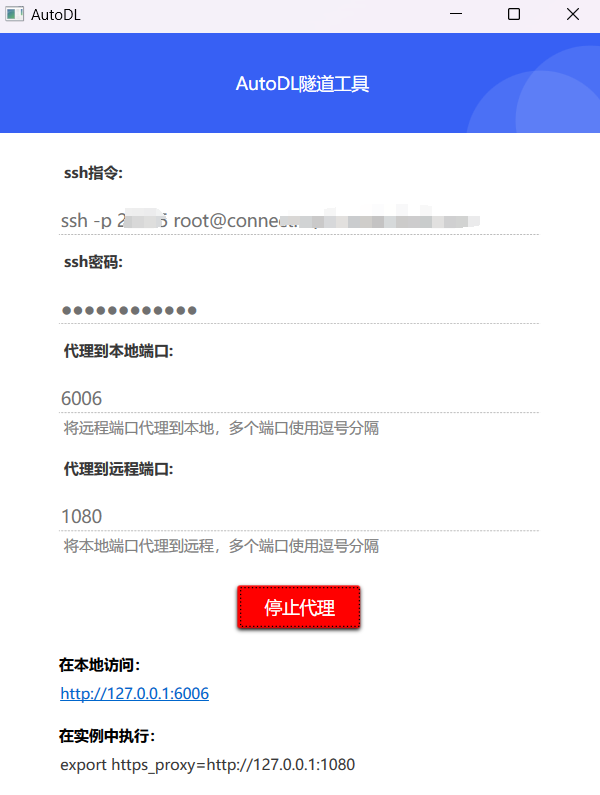
SSH Proxy Commands
Port mapping from the proxy instance to the local machine
The specific steps are as follows:
Step 1 Start your service on the instance (for example, if your service listens on port 6006, we’ll use port 6006 as an example below)
Step 2: Run the proxy command in the terminal (cmd, PowerShell, Terminal, etc.) on your local computer:
ssh -CNg -L 6006:127.0.0.1:6006 root@123.125.240.150 -p 42151
In this context, root@123.125.240.150 and 42151 are the access address and port for the SSH command on the instance, respectively. Please locate the SSH command for your own instance and substitute the appropriate values. 6006:127.0.0.1:6006 refers to the port mapping that forwards port 6006 on the instance to port 6006 on your local machine.
Note: It is normal for no logs to appear after executing this SSH command, as long as you are not prompted to re-enter your password or the command exits without an error.
If you keep getting a "wrong password" error in cmd or PowerShell on Windows, it's because you can't paste the password; just type it in manually (normally, the password you're typing won't be displayed).

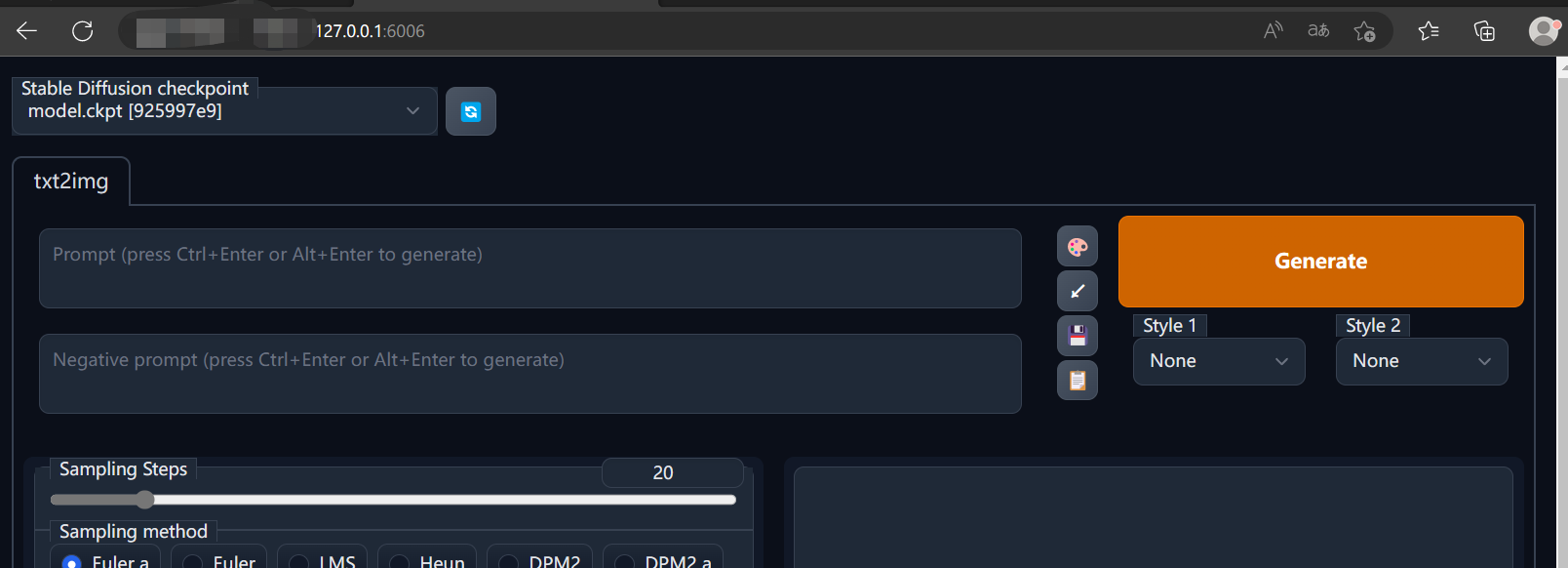
Step 3 Access http://127.0.0.1:6006 in your local browser to launch the service. Note that the port 6006 must match the port used in 6006:127.0.0.1:6006 above.
Forwarding Local Ports to Instances
# 上面代理实例中的端口到本地的Step.2中的命令:
ssh -CNg -L 6006:127.0.0.1:6006 root@123.125.240.150 -p 42151

# 只需将上面的命令修改参数-L为-R即代理本地端口到实例
ssh -CNg -R 6006:127.0.0.1:6006 root@123.125.240.150 -p 42151
Frequently Asked Questions
- Where can I find the SSH commands?
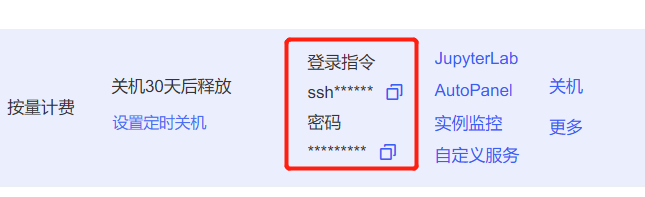
- Permission error when running an SSH proxy on Windows?
There are generally two types of errors
First method:
It is required that your private key files are NOT accessible by others.
This private key will be ignored.
Load key "C:\\Users\\Administrator/.ssh/id_rsa": bad permissions
Solution: Set the C:\\Users\\Administrator/.ssh/id_rsa file mentioned in the error message to read-only.
Option 2:
Bad owner or permissions on C:\\Users\\Administrator\\.ssh\\config
Solution: Delete the config file C:\\Users\\Administrator\\.ssh\\config. This file is read-only.
- What do the various parameters in the SSH command mean?
Copy the SSH command so that it appears in this format: ssh -p 48332 root@region-3.webcal.com
In the command
ssh -p 48332 root@region-3.webcal.com命令中, the meaning of each parameter is as follows:Username: root
Host: region-3.webcal.com
Port number: 48332
So, the command for the SSH tunnel is (assuming port 6006 on the proxy instance is mapped to the local machine):
ssh -CNg -L 6006:127.0.0.1:6006 root@region-3.webcal.com -p 48332