
データ
Public Cloud Storage (Highly Recommended)
Advantages:
- Supports direct data transfer between instances and Alibaba Cloud Drive, Quark Cloud Drive, Baidu Netdisk, and Object Storage Service (OSS) (uploading from instances to cloud drives and downloading from cloud drives to instances), making it convenient to download data to different instances, back up important instance data, and migrate instances.Alibaba Cloud Drive still offers fast transfer speeds overseas, so we highly recommend it if you’re using WebCal from abroad.
- It is faster and more stable than transferring data between local machines and instances.
- Share datasets with others.
Disadvantages:
- The need for additional authorization configuration is a downside :)
Data Security: WebCal encrypts your personal information using a unique password you set. The encrypted personal information can only be decrypted with your password; even WebCal cannot decrypt it. For details on how this works, please refer to the bottom of the documentation.
The implementation of the public cloud storage service in WebCal can be viewed as a third-party cloud storage client (called AutoPanel). The differences from the official client are as follows: This tool uses a server/browser architecture (similar to JupyterLab—the server does not have to be on the local computer, but the service can be used in a local browser). The architecture is as follows:
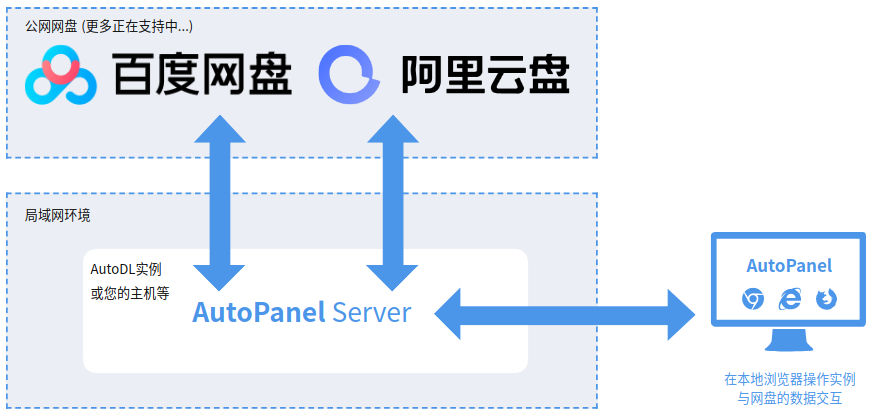
As shown in the diagram: Unlike the official client, whichever host the AutoPanel Server is running on is the one that handles upload and download interactions with the cloud storage—regardless of the host where the browser is located.Therefore, you have greater flexibility to run the AutoPanel server on your local computer, a WebCal instance (which is already running by default), or any of your own servers, and then perform operations in your browser using the access URL provided by the server.
How to Use
Step 1: Open AutoPanel
After the instance you rented has booted up, locate the “AutoPanel” entry in the “Quick Tools” column. Click it to open “Public Cloud Storage.”

Step 2: Authorization
The first step is to set a unique access password. This password is very important (the more complex, the more secure); all personal cloud storage account information you authorize going forward will be encrypted using this password. If you forget your password, you will need to reinitialize the account.
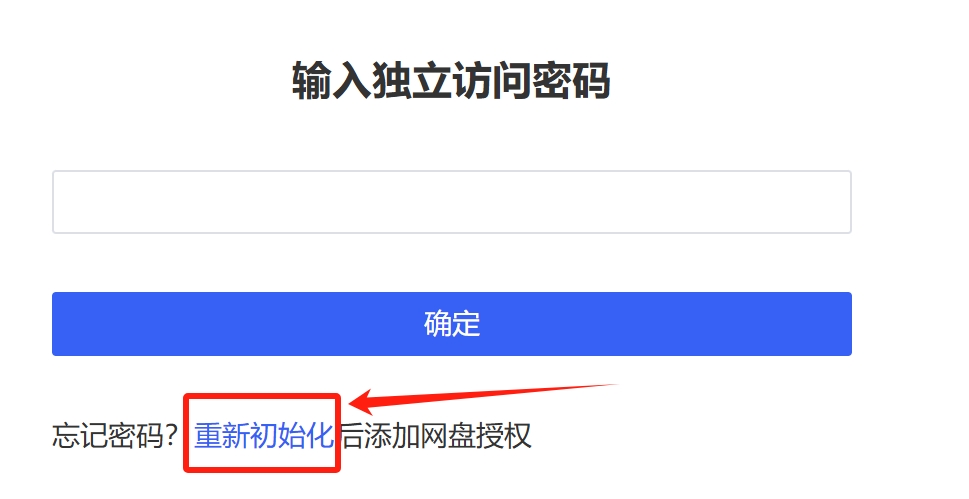
Personal information encrypted with the unique password you set can only be decrypted using your password; even WebCal cannot decrypt it.
Alibaba Cloud Drive
Around July 2024, Alibaba Cloud Drive imposed restrictions on third-party applications. You must purchase a third-party entitlement package to enjoy optimal upload and download speeds. For details, please refer to the documentation. Please use Alibaba Cloud Drive according to your specific needs.
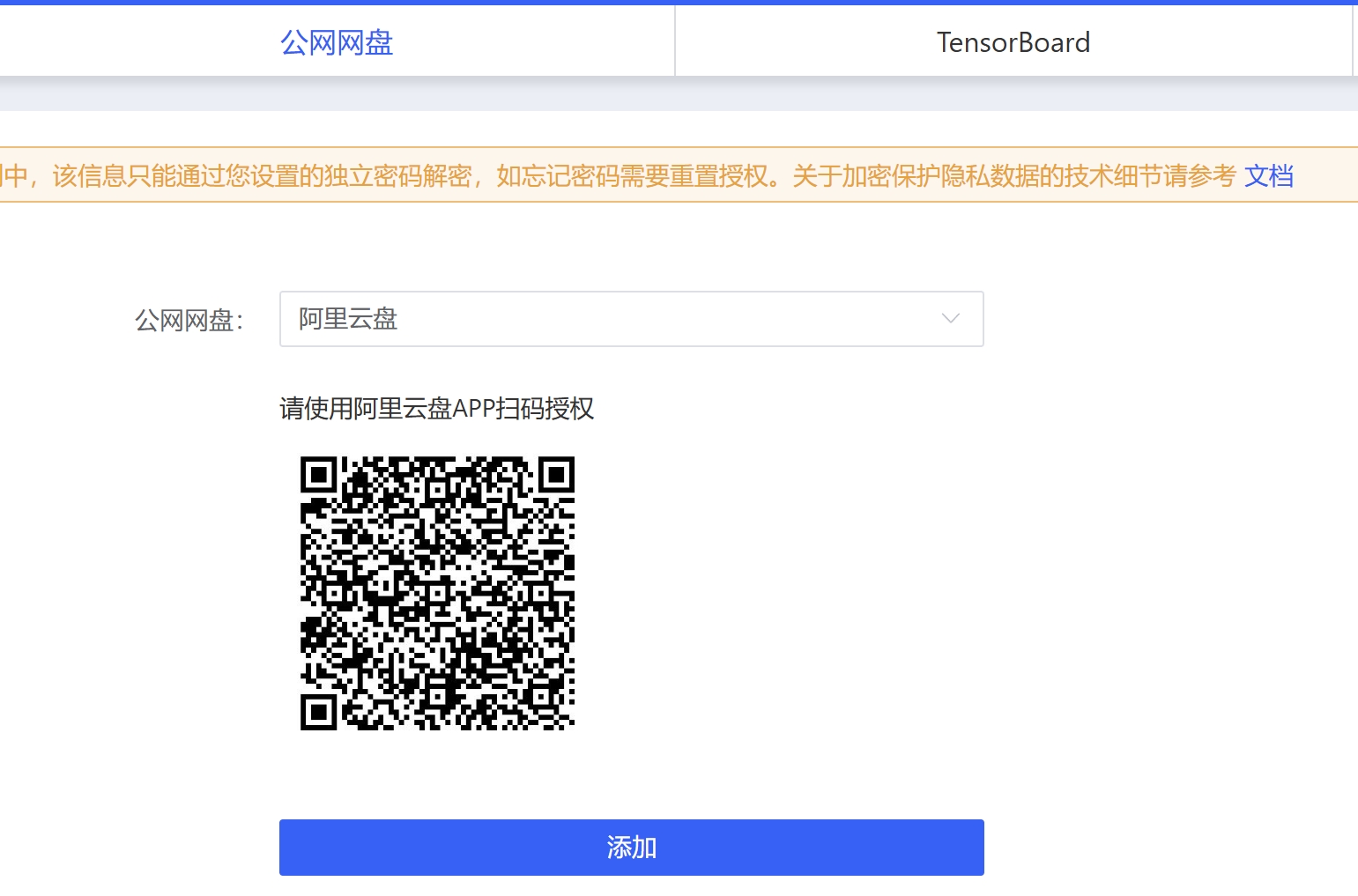
Select Alibaba Cloud Drive, then use the Alibaba Cloud Drive app to scan the QR code to authorize and log in.
Quark Cloud Storage
You must purchase a membership on Quark Cloud Drive to enjoy optimal upload and download speeds. Please purchase a membership directly within the Quark Cloud Drive app.
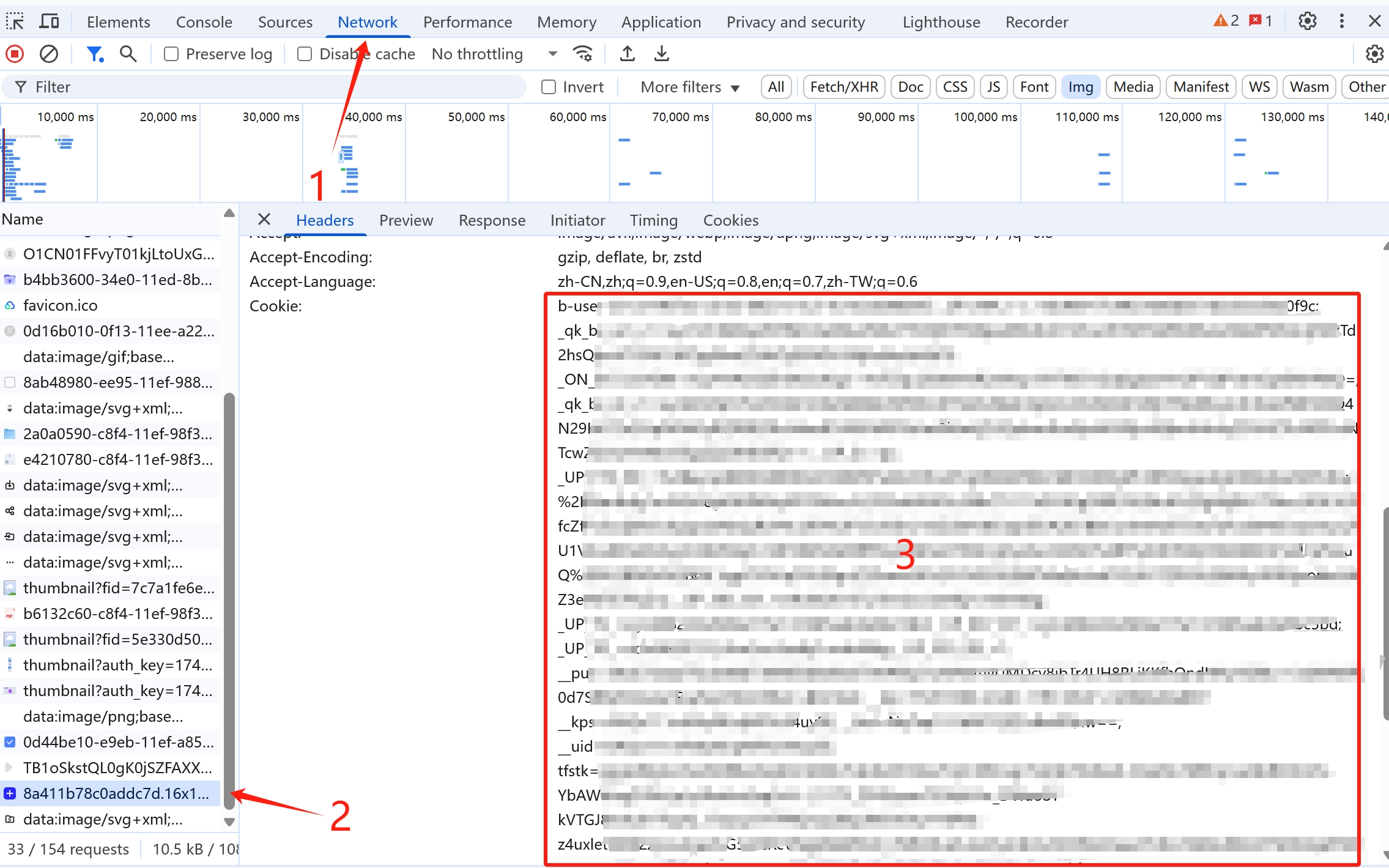
Log in to the web version of Quark Cloud Drive in your browser, press F12 to open the browser’s “Developer Tools,” select “Network,” choose any request from the left pane, locate the one containing the Cookie parameter, and copy and paste it into the corresponding field.
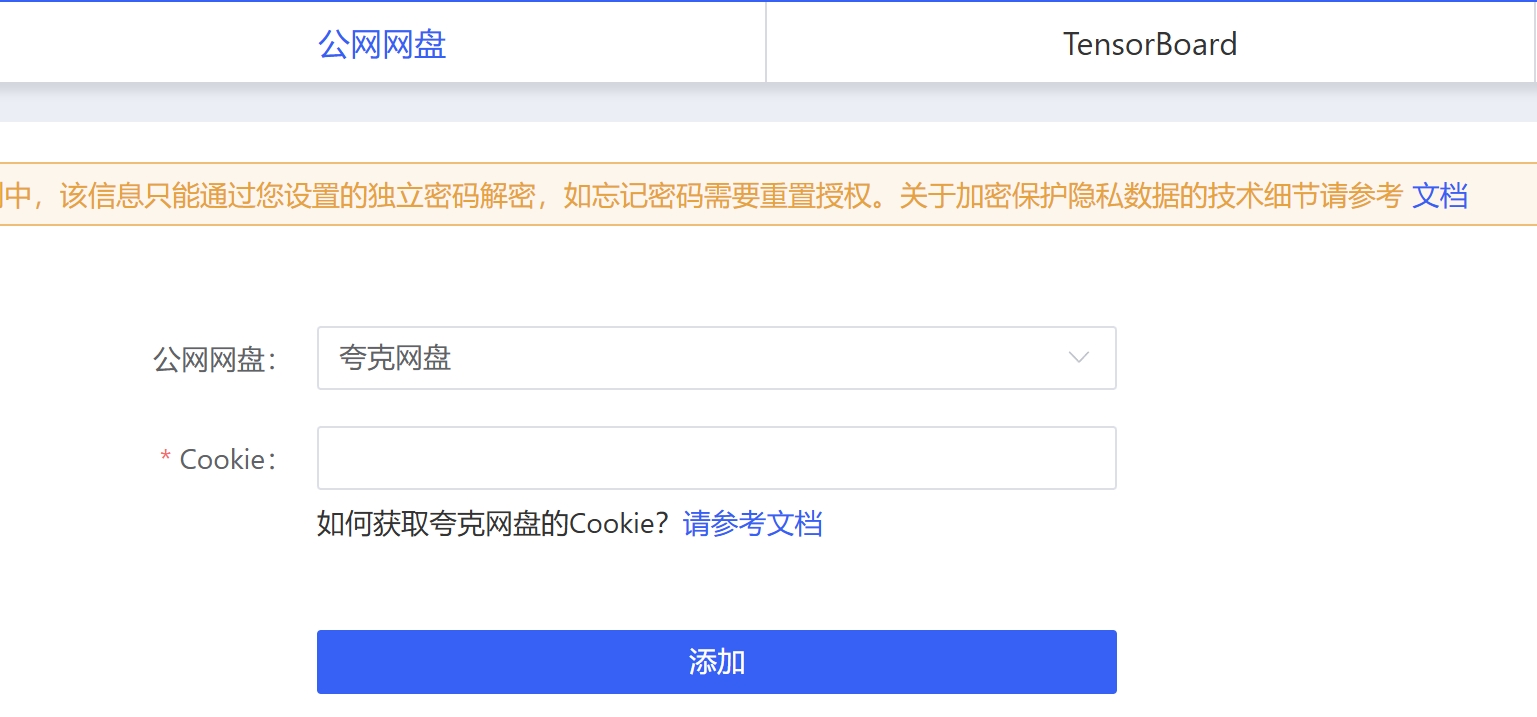
Baidu Netdisk
Due to policy changes, Baidu Netdisk no longer supports individual verification or the ability for individuals to create applications; enterprise verification is now required to enable applications. Therefore, Baidu Netdisk is no longer recommended.
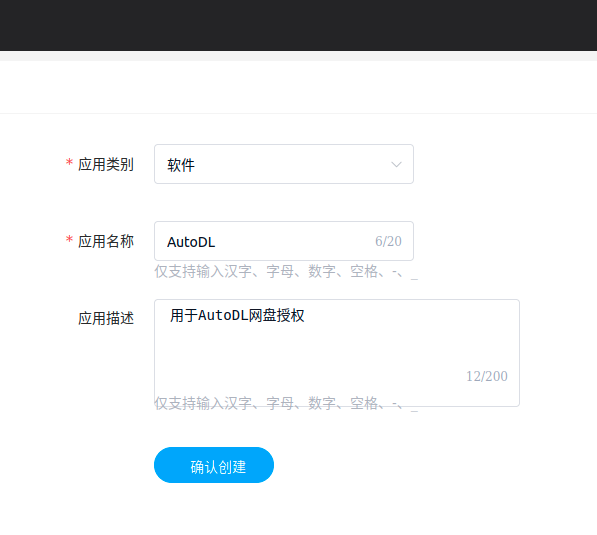
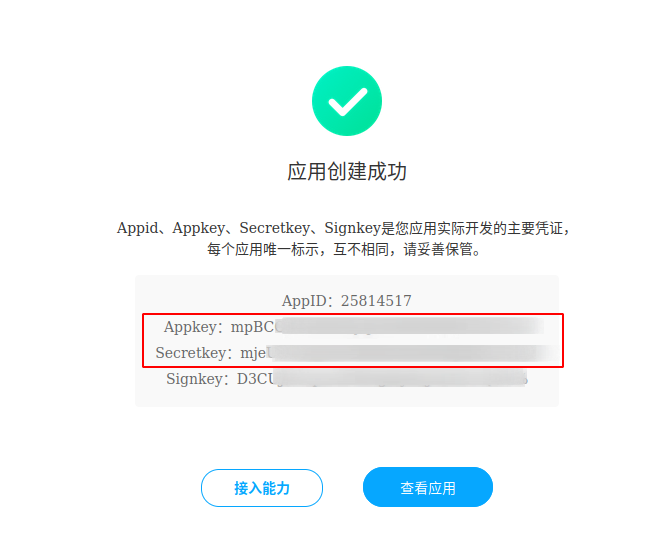
After logging in to Baidu Netdisk, create an application (if you have not completed Baidu authentication, creation may fail; you must first complete authentication). Once creation is complete, obtain the AppKey and SecretKey. We recommend entering "WebCal" as the application name to avoid unnecessary complications.
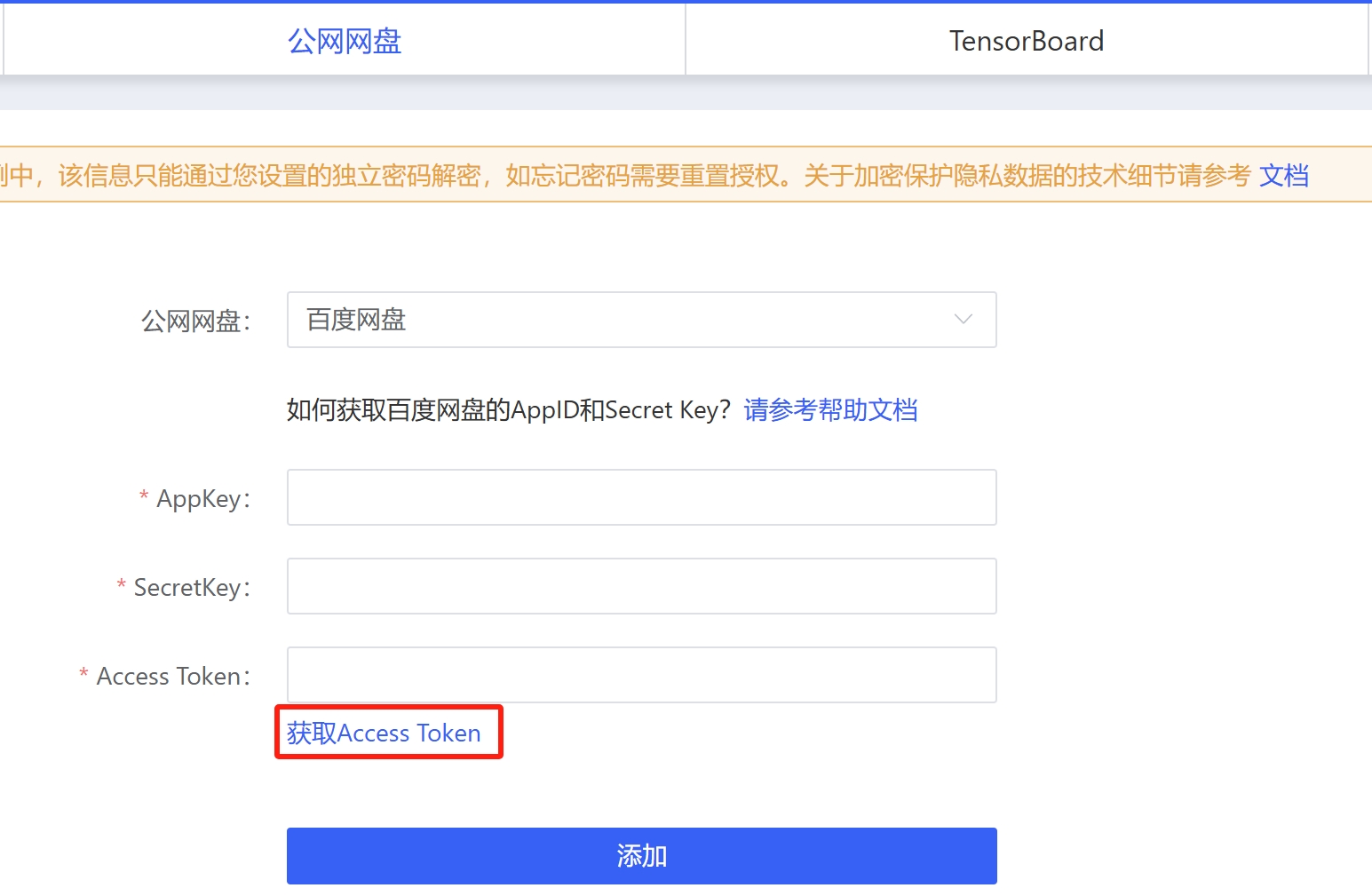
In AutoPanel, click "Add Authorization," enter your AppKey and SecretKey, and then click "Get Access Token." This will open the Baidu Netdisk webpage; simply paste the returned token there to complete the authorization.
OSS Object Storage
Supports MinIO, Alibaba Cloud OSS, Tencent Cloud OSS, and S3-compatible OSS.
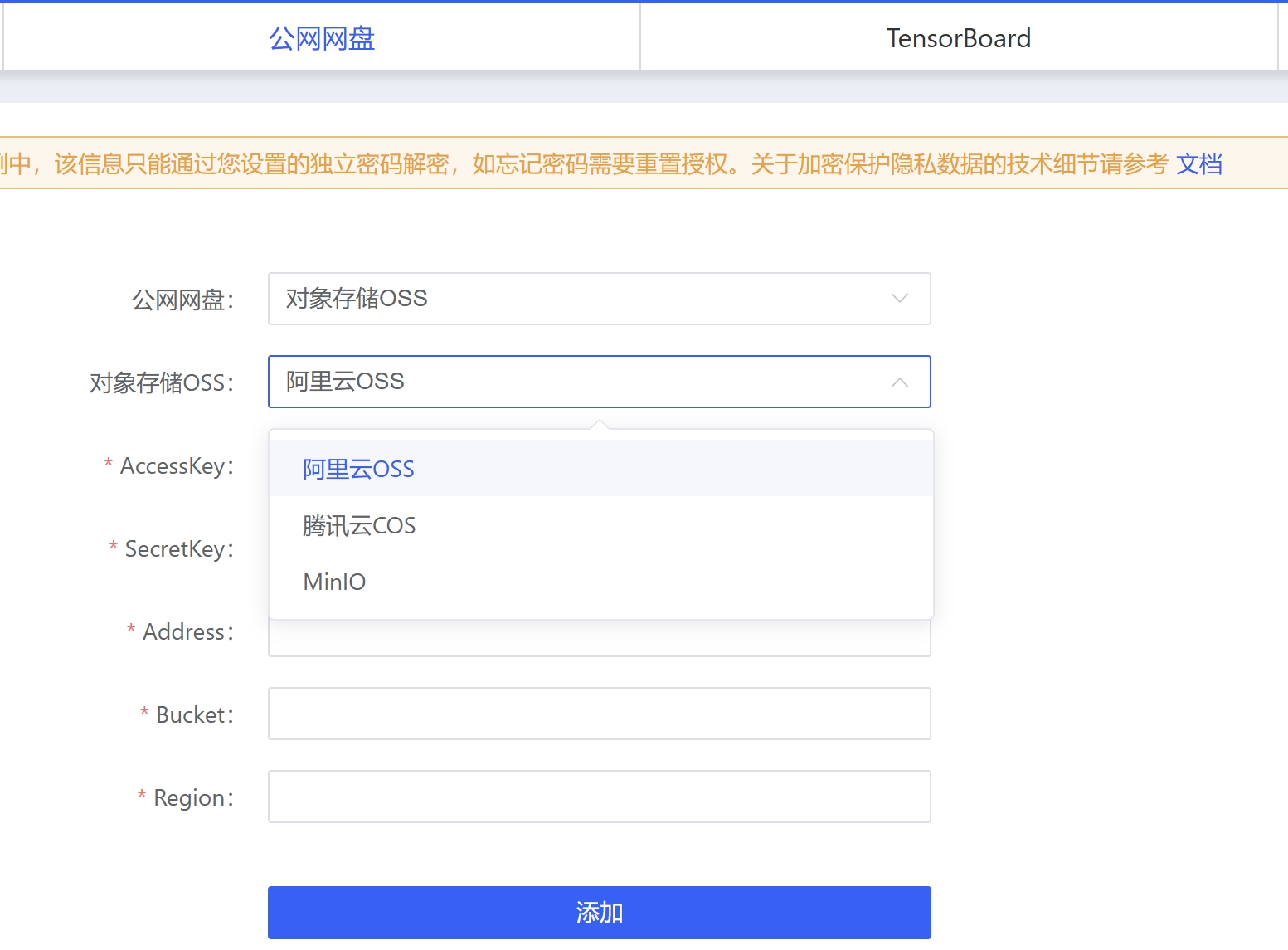
If you are using Alibaba Cloud OSS, here are examples of the Address, Bucket, and Region parameters: Address: oss-cn-beijing.aliyuncs.com (Note: Do not include bucket information in the address.) Bucket: test-bucket Region: cn-beijing
If you are using Tencent COS, here are examples of the Address, Bucket, and Region parameters: Address: cos.ap-beijing.myqcloud.com Bucket: test-bucket Region: ap-beijing
If you are using MinIO, here are examples of the Address and Bucket parameters: Address: http://116.172.92.17:9000 Bucket: test-bucket
Step 3: File Browsing/Uploading/Downloading
If you are uploading a large file exceeding 10 GB, it may take anywhere from tens of seconds to several minutes to calculate the file’s hash value before the upload begins. Additionally, the efficiency of hash calculation depends on CPU and memory resources; if you are using cardless mode, this process will be slower. Please be patient.
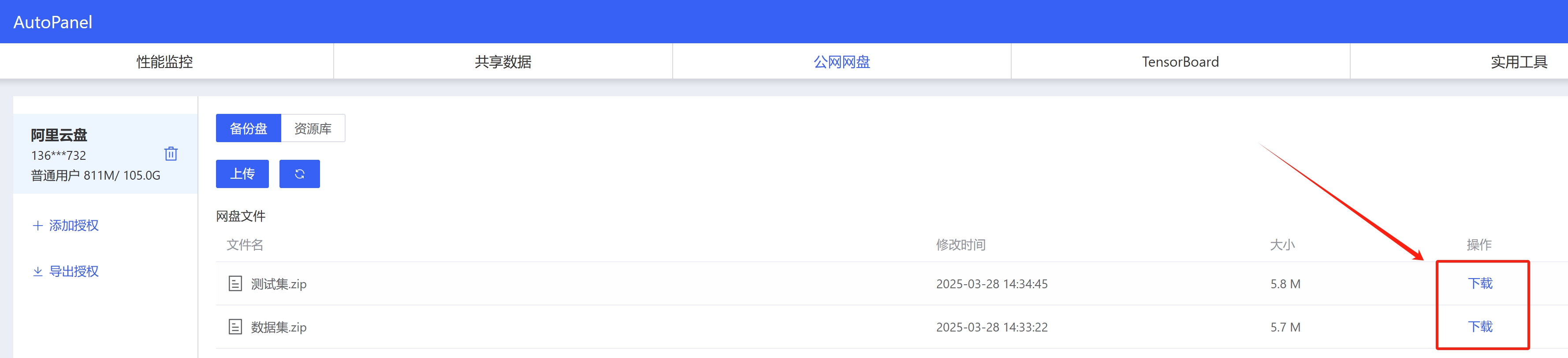
After selecting a cloud storage service, you can browse the files within it. Click "Download" to save them to your local machine (within the instance). Files are automatically saved to the instance/root/webcal-tmp directory; you can move them as needed after the download is complete.
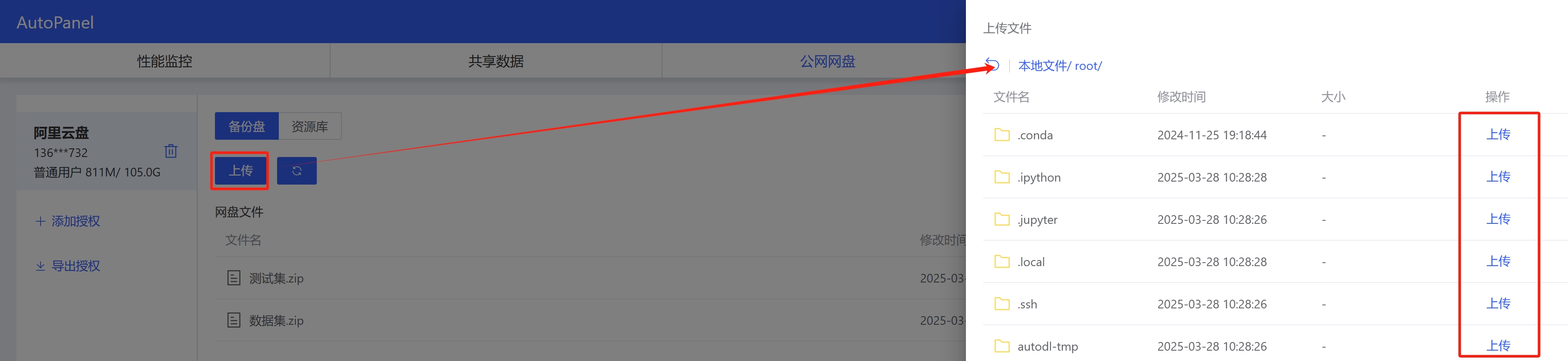
Click the Upload button to upload local (within the instance) files to cloud storage.
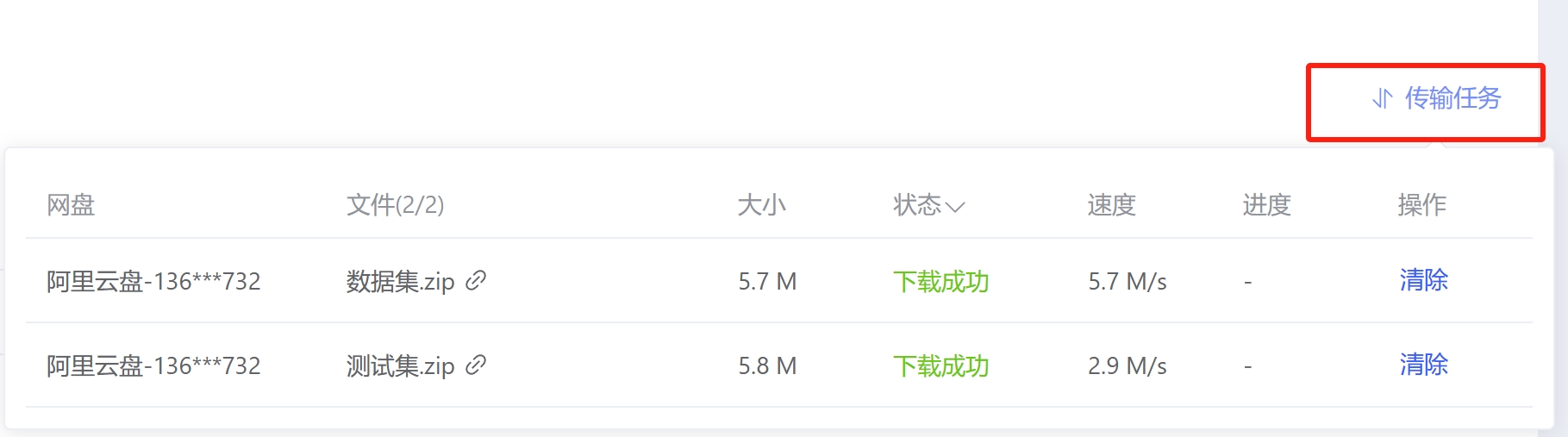
Multiple file upload and download tasks can exist simultaneously; they will be queued for upload and download and can be viewed in the “Transfer Tasks” section on the right.
Feature Description
-
Supports authorization management for multiple cloud storage services simultaneously.
-
Both Alibaba Cloud Drive and Baidu Netdisk support resume-enabled downloads; resume-enabled uploads are currently being implemented.
-
Aliyun Drive supports instant file transfer.
-
Upload and download speeds typically range from 5 to 20 MB/s, depending on current network load (Baidu Netdisk and Quark Netdisk speeds depend on membership status; Alibaba Cloud Drive speeds depend on third-party benefit packages).
-
Official Explanation of Key Restrictions for Cloud Storage Services:
一. 百度网盘:
1.速度限制:与会员等级相关。实测非会员下载1MB/s, 上传10MB/s。会员上传下载10MB/s+
2.上传路径限制:只能上传文件至[我的应用数据(部分账户叫apps)]目录,其他目录无权限。下载时无路径限制。
3.上传文件大小限制:
 > 普通用户单个上传文件大小上限为4GB
 > 会员用户单个上传文件大小上限为10GB
 > 超级会员用户单个上传文件大小上限为20GB

二. 阿里云盘:
 1.上传文件大小限制
  > 普通用户单个上传文件大小上限为100GB
  > 会员用户单个上传文件大小上限为200GB
  > 超级会员用户单个上传文件大小上限为1TB
Automatic Authorization
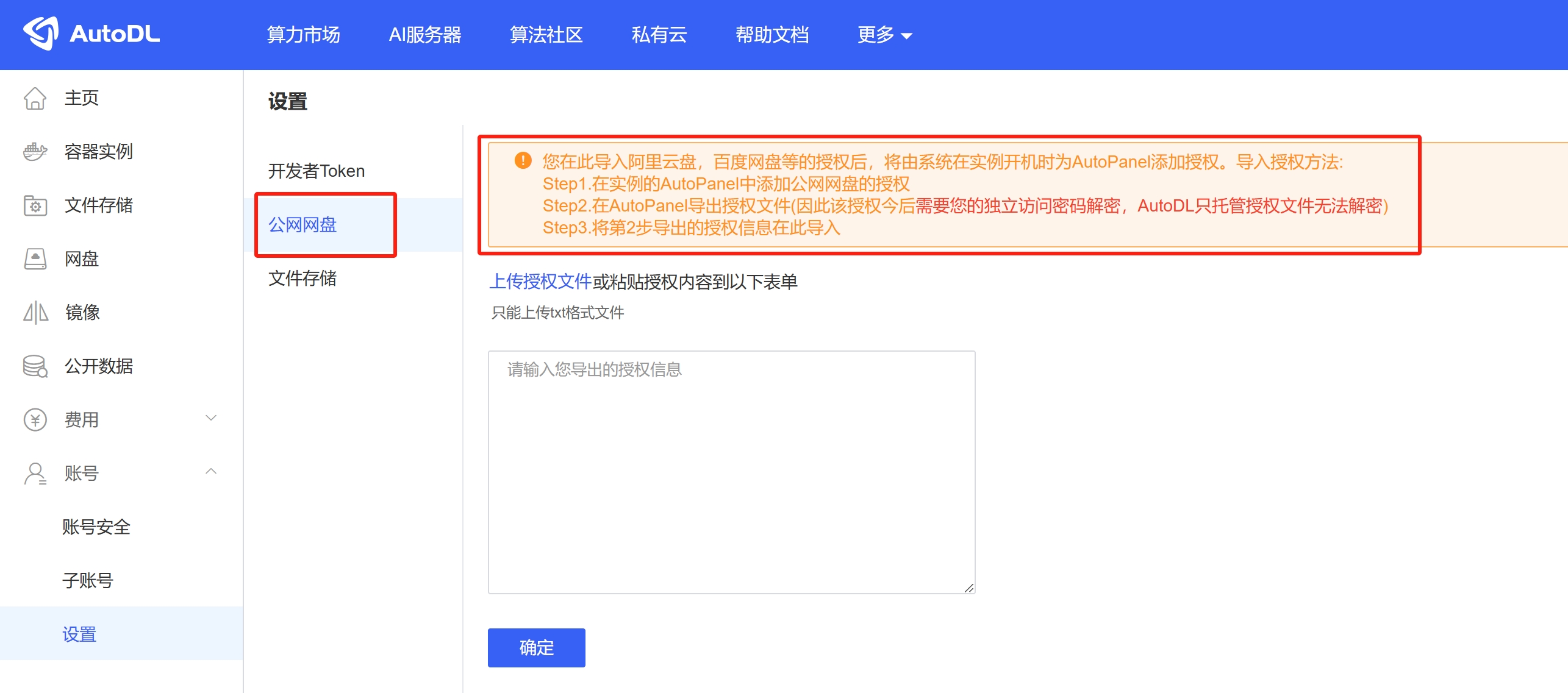
The authorization process described above must be repeated for each newly created instance. If you wish to add authorization only once so that all subsequently created instances automatically use that authorization, you can host the authorization information in WebCal via the “Settings” menu in the “Console,” and WebCal will handle the authorization process for you:
Security
AutoPanel’s security design goal is to ensure that even in the worst-case scenario—where someone obtains the configuration information from your computer—they still cannot access your cloud storage using that data without your unique password.
Encryption Implementation Mechanism
After you authorize it, AutoPanel will retrieve the Access Token and other relevant information from the cloud storage service. This information will be encrypted using the unique password you set, as follows:
- During transmission between the frontend and backend, a hash value is calculated using a salted hash algorithm (SHA-1 + salt) based on the unique password you set (this hash value is used as an authentication token between the frontend and backend after login; please do not disclose it to others).
- Then, derive a 32-bit AESKey by performing a hash, cyclic shift, or linear transformation on that hash value.
- Use AESKey as the key for the AES-256 algorithm to encrypt your authorized cloud storage access data (such as the Access Token), resulting in AESMiddleOutput
- Use the built-in linear transformation to generate an AESKey2, which serves as the key for the AES-256 algorithm, and perform encryption on the AESMiddleOutput to obtain the AESFinalOutput
- Perform operations on AESFinalOutput using the Non-Standard Encoding Base64,and the results are written to the {{cache_dir}}/.webcal/autopanel.security.db file on the host where the AutoPanel Server is located. This file contains the only sensitive data recorded during AutoPanel operation; even if sent to other users, it cannot be decrypted without your unique password—not even by AutoPanel developers.
- Finally, the AutoPanel interface has been secured against brute-force attacks; users will be locked out after entering an incorrect password multiple times in a row.
About AES:
AES is available in many different encryption packages, and is the first (and only) publicly accessible cipher approved by the U.S. National Security Agency (NSA) for top secret information when used in an NSA approved cryptographic module (see Security of AES, below). WIKI