
WebCal
Ctrl K

ガイド

Scaling Configuration

ガイド連携FAQサポート
価格ブログ
クイックスタートTop-Up and BillingAccelerating Access to Academic ResourcesQuick StartIntroductionMaintenance and TroubleshootingNetwork
プラットフォームJetBrain ProjectorTmpWebCal Scholars Program @2026Introduction to the Public Beta/Suqian Zone AAbout UsCopying Data Between InstancesAnalysis of Server Performance MetricsTidal Computing PowerLoad Balancing
中国製チップUsing Huawei MindIEHuawei Ascend NPUMooreThread GPU
環境設定CUDA/cuDNNMinicondaPython3.XInstalling DependenciesOverviewImages
エンタープライズ機能Flexible DeploymentElastic Deployment Release NotesBest Practices for Elastic DeploymentPerformance Metrics Monitoring
コンテナインスタンスJupyterLabRemote SSH ConnectionSave the imageScaling ConfigurationMulti-machine, multi-GPU parallel processingDaemonOverviewChange the billing methodMigration Example (Same Region)Migration ExamplesRemote DesktopReset the system
GPU の選び方GPU SelectionPerformance Testing
データUpload DataDownload DataPublic DataPublic Cloud Storage (Highly Recommended)Compression / DecompressionFile StorageLocal data diskOverview
ベストプラクティスFileZillaGitGromacsHuggingFaceKataGoLinux BasicsMPIOpenCLPyCharm Remote DevelopmentR (RStudio) InstallationSSH TunnelTensorBoardRemote Development with VSCodeVisdomVulkanXShellOpen PortsWeChat MessagesPerformanceExpose multiple servicesMoney-Saving TipsComputation Precision IssuesSoftware Sources

コンテナインスタンス

Scaling Configuration

2026/07/3060944の閲覧数

For pay-as-you-go instances that are already running, you can use the scale-up/scale-down feature to adjust the instance configuration if you need to increase or decrease the number of GPUs. For annual or monthly subscription instances, you must first switch to pay-as-you-go billing before you can scale up or down the configuration.

Step.1

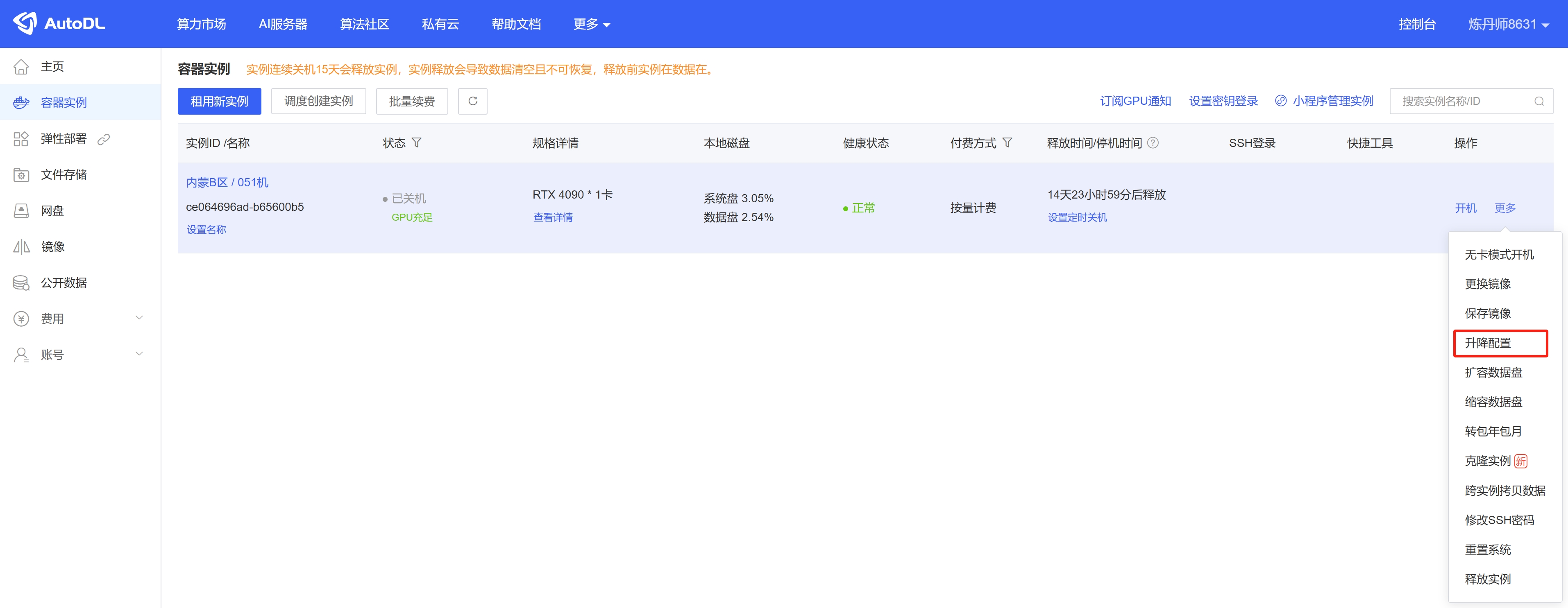
Shut down the instance, then locate the "升降配置" button at 更多 and click it to access the scaling configuration pageimage_20250310194650
Step.2

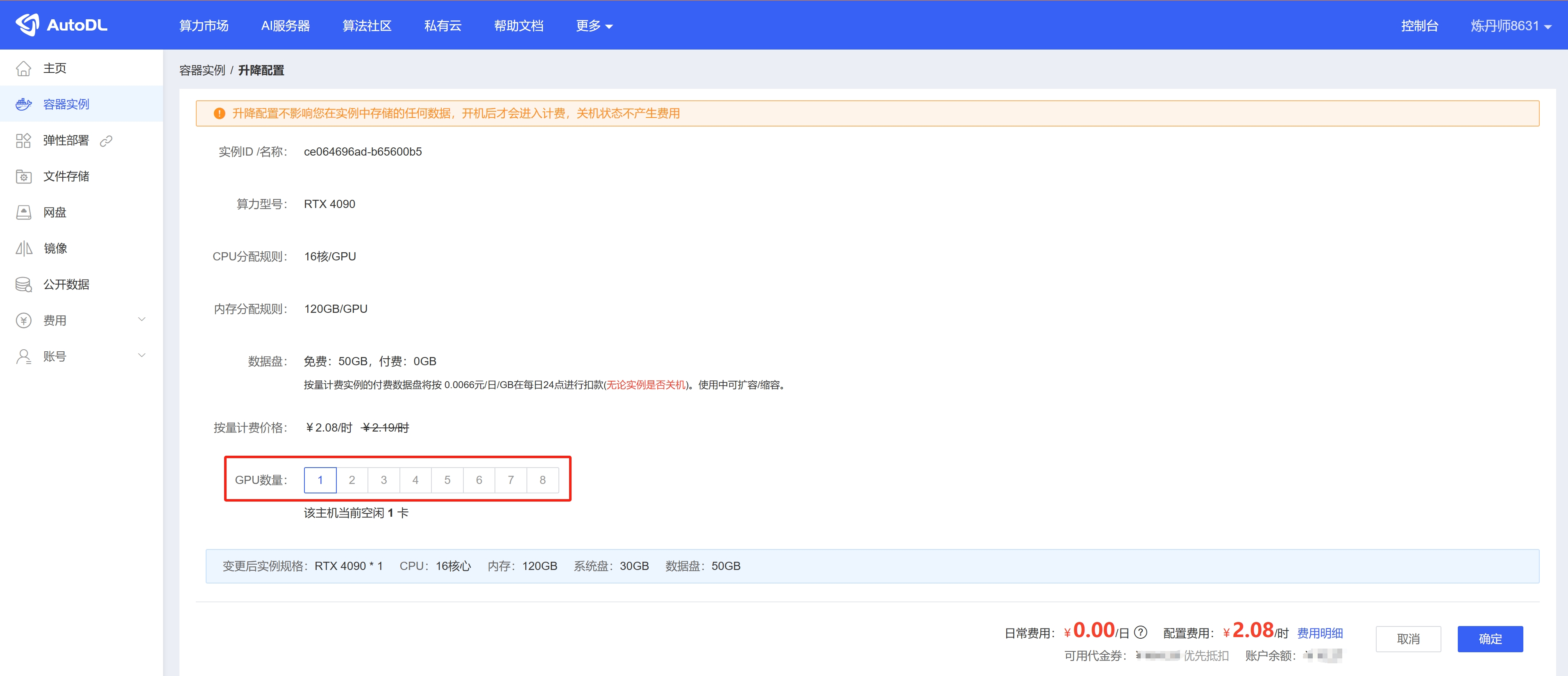
Select the number of GPUs; the CPU and memory will then be adjusted accordingly based on the number of GPUs. For the final instance specifications, please refer to 变更后实例规格 below.image_20250310194736
Tips for Upgrading Your Configuration

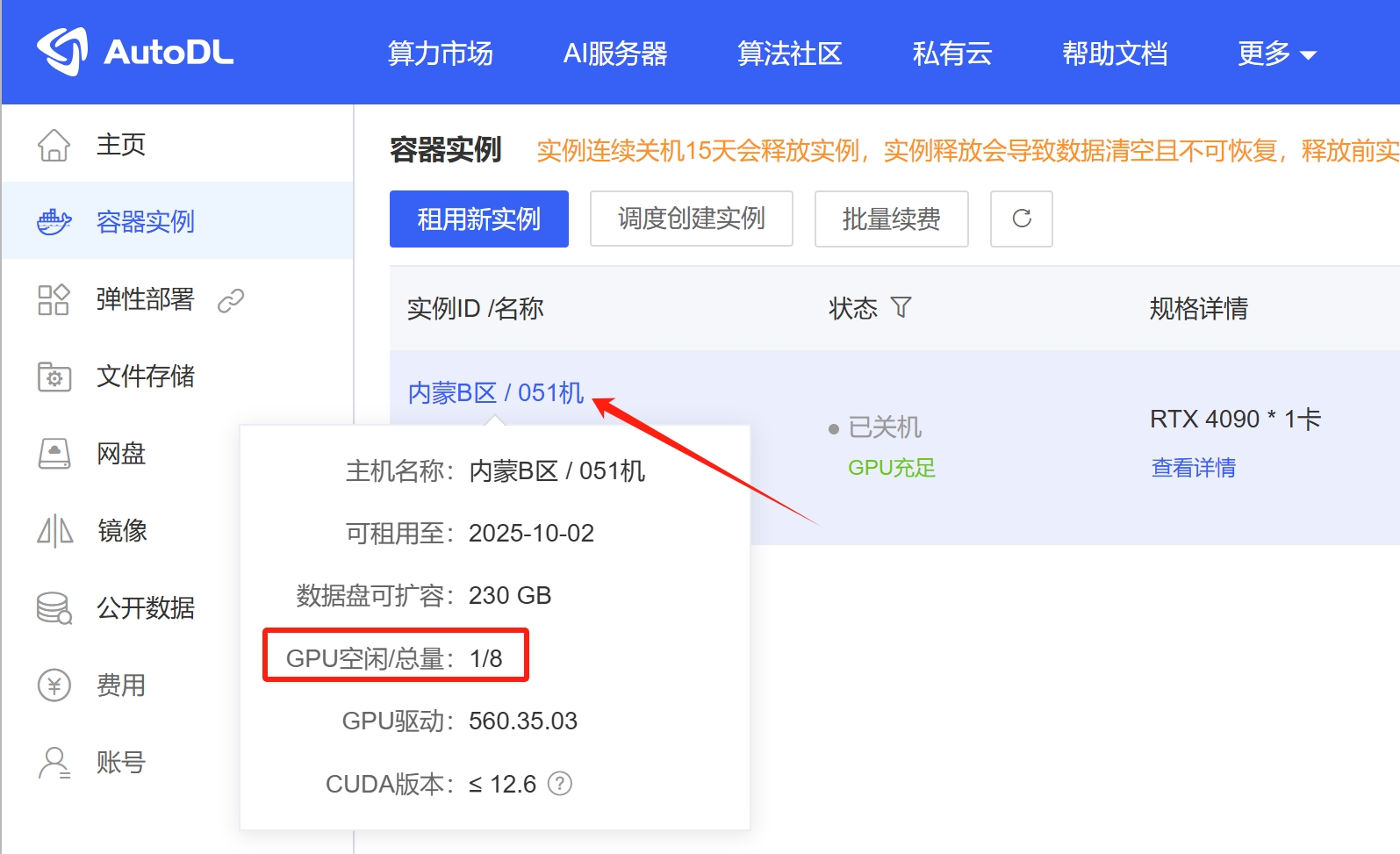
Console -> Container Instances: Click the instance name in the first column to view the current host’s GPU availability. This will help you determine whether the host can be upgraded. If the host’s available GPU resources do not meet your upgrade requirements, you can choose to migrate to another host that meets your needs.Migrate Instance (Same Region) image_20250310194825
次の記事Performance Metrics Monitoring
コンピューティングレンタルに関するドキュメントガイドに戻る