WebCal
Ctrl K

मार्गदर्शिका

FileZilla

मार्गदर्शिकाएकीकरणसामान्य प्रश्नसहायता
मूल्यब्लॉग
त्वरित प्रारंभTop-Up and BillingAccelerating Access to Academic ResourcesQuick StartIntroductionMaintenance and TroubleshootingNetwork
प्लेटफ़ॉर्मJetBrain ProjectorTmpWebCal Scholars Program @2026Introduction to the Public Beta/Suqian Zone AAbout UsCopying Data Between InstancesAnalysis of Server Performance MetricsTidal Computing PowerLoad Balancing
घरेलू चिप्सUsing Huawei MindIEHuawei Ascend NPUMooreThread GPU
परिवेश सेटअपCUDA/cuDNNMinicondaPython3.XInstalling DependenciesOverviewImages
एंटरप्राइज़ सुविधाएँFlexible DeploymentElastic Deployment Release NotesBest Practices for Elastic DeploymentPerformance Metrics Monitoring
कंटेनर इंस्टेंसJupyterLabRemote SSH ConnectionSave the imageScaling ConfigurationMulti-machine, multi-GPU parallel processingDaemonOverviewChange the billing methodMigration Example (Same Region)Migration ExamplesRemote DesktopReset the system
GPU चुननाGPU SelectionPerformance Testing
डेटाUpload DataDownload DataPublic DataPublic Cloud Storage (Highly Recommended)Compression / DecompressionFile StorageLocal data diskOverview
सर्वोत्तम अभ्यासFileZillaGitGromacsHuggingFaceKataGoLinux BasicsMPIOpenCLPyCharm Remote DevelopmentR (RStudio) InstallationSSH TunnelTensorBoardRemote Development with VSCodeVisdomVulkanXShellOpen PortsWeChat MessagesPerformanceExpose multiple servicesMoney-Saving TipsComputation Precision IssuesSoftware Sources

सर्वोत्तम अभ्यास

FileZilla

30/07/202688476 व्यू

If you want a more convenient way to upload and download files or folders from your instance, you can use FileZilla: it’s free and available on all platforms (Mac, Linux, Windows).

Step 1: Installation

Download link. Additionally, the simplest installation method for Linux: sudo apt install filezilla

After installation, the startup screen appears as follows:
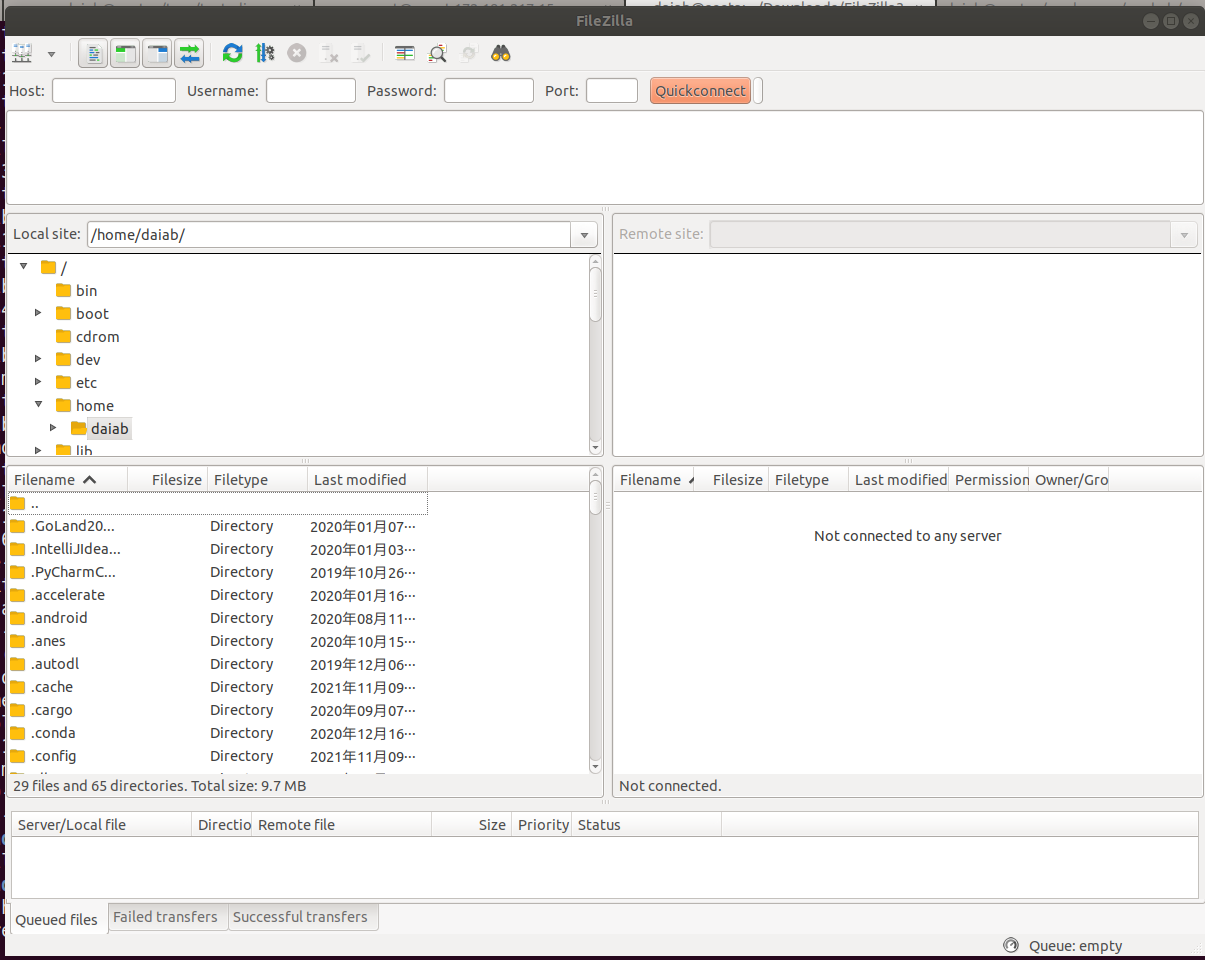
image-20211109111719396

Step 2. Connect

Copy the SSH command for your instance, for example: ssh -p 50762 root@region-2.webcal.com

In the ssh -p 50762 root@region-2.webcal.com command, the meanings of the various parameters are as follows:

Username: root

HOST: region-2.webcal.com

Port number: 50762

Open the following pop-up window from [File] - [Site Manager].

Note: Be sure to select the SFTP protocol.
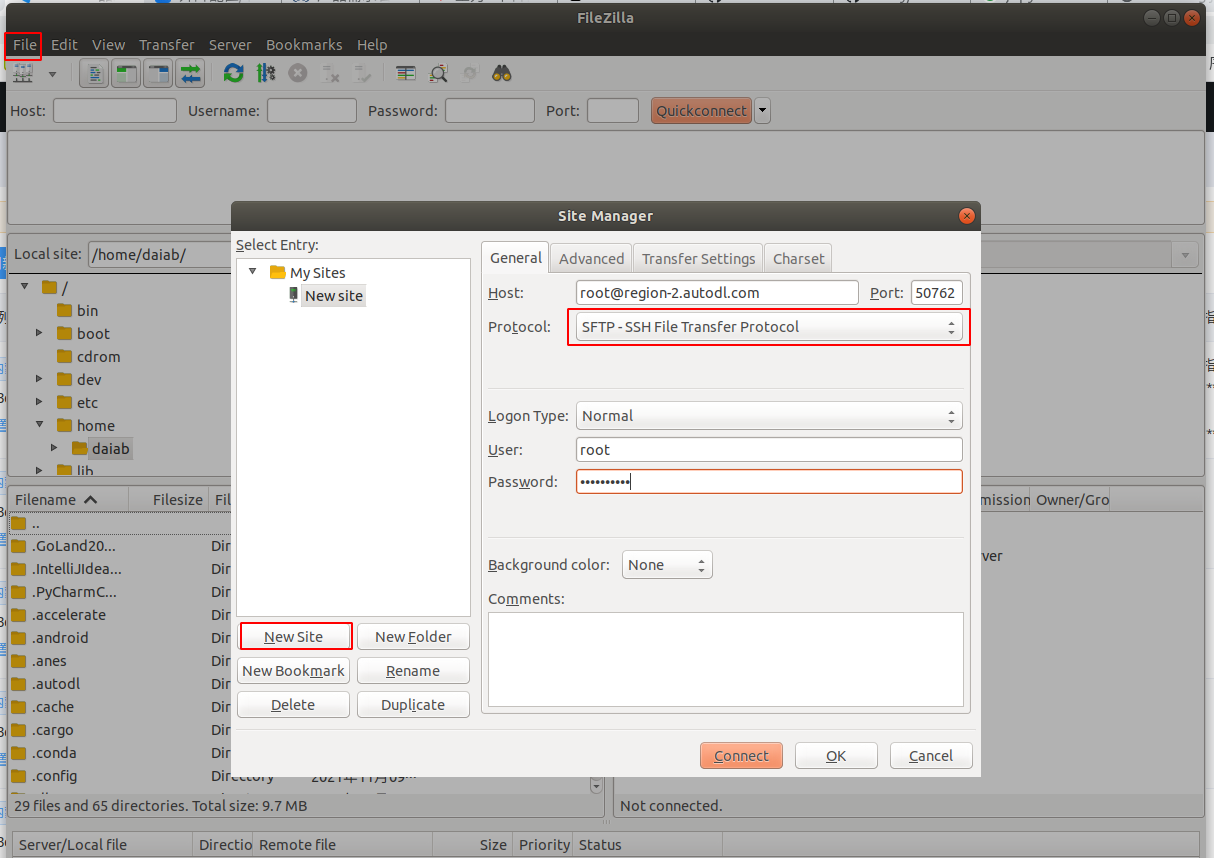
image-20211109112802076

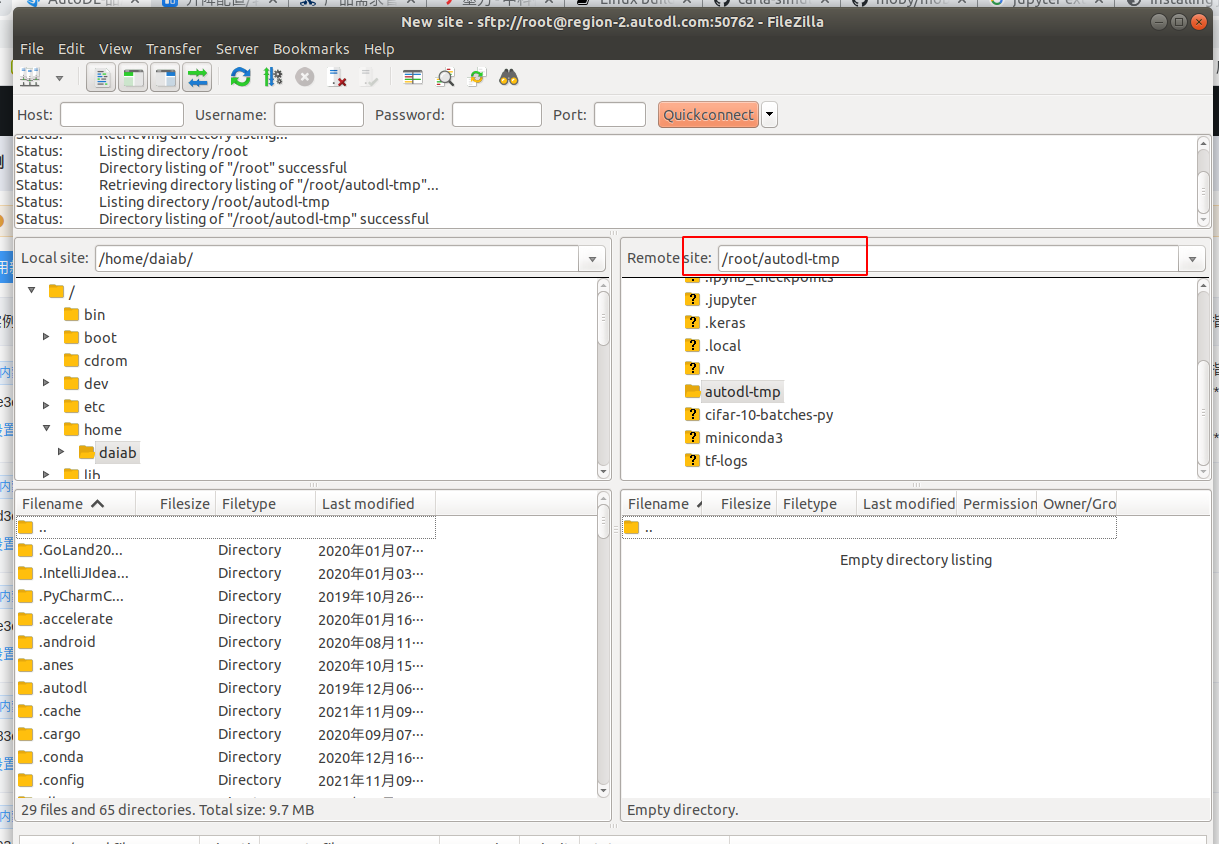
image-20211109112833891

You can now drag and drop files and folders to transfer them.

अगला लेखUpload Data
Compute Rental दस्तावेज़मार्गदर्शिका पर वापस जाएं