कंटेनर इंस्टेंस
Change the billing method
Container instances support switching between pay-as-you-go and annual/monthly subscription billing models. To switch, click “Switch to Pay-as-you-go” or “Switch to Annual/Monthly Subscription” in the “More” menu in the last column of the instance list. If you switch from an annual/monthly subscription to pay-as-you-go, you will receive a refund.the refund calculation is based on the fees consumed during the annual/monthly subscription period, with the unit price determined by the duration of use. For example, if you subscribed for 1 month but only used the service for 8 days before switching to pay-as-you-go, the consumed amount will be calculated using the weekly rate (since usage exceeded 7 days). In this case, the consumed amount is: weekly unit price × (8 days / 7). When deducting the amount consumed, any prepaid gift cards will be applied first; any remaining balance not fully covered by the gift cards will be deducted from the prepaid balance; finally, any unused balance will be refunded.Please note that if there is a remaining balance after applying the voucher, the voucher itself will not be refunded. Based on the refund policy, the most cost-effective usage method is to purchase an annual or monthly subscription and then switch to pay-as-you-go billing when you stop using the service; this ensures you are charged at a more economical unit price.
For more specific billing rules, see Documentation
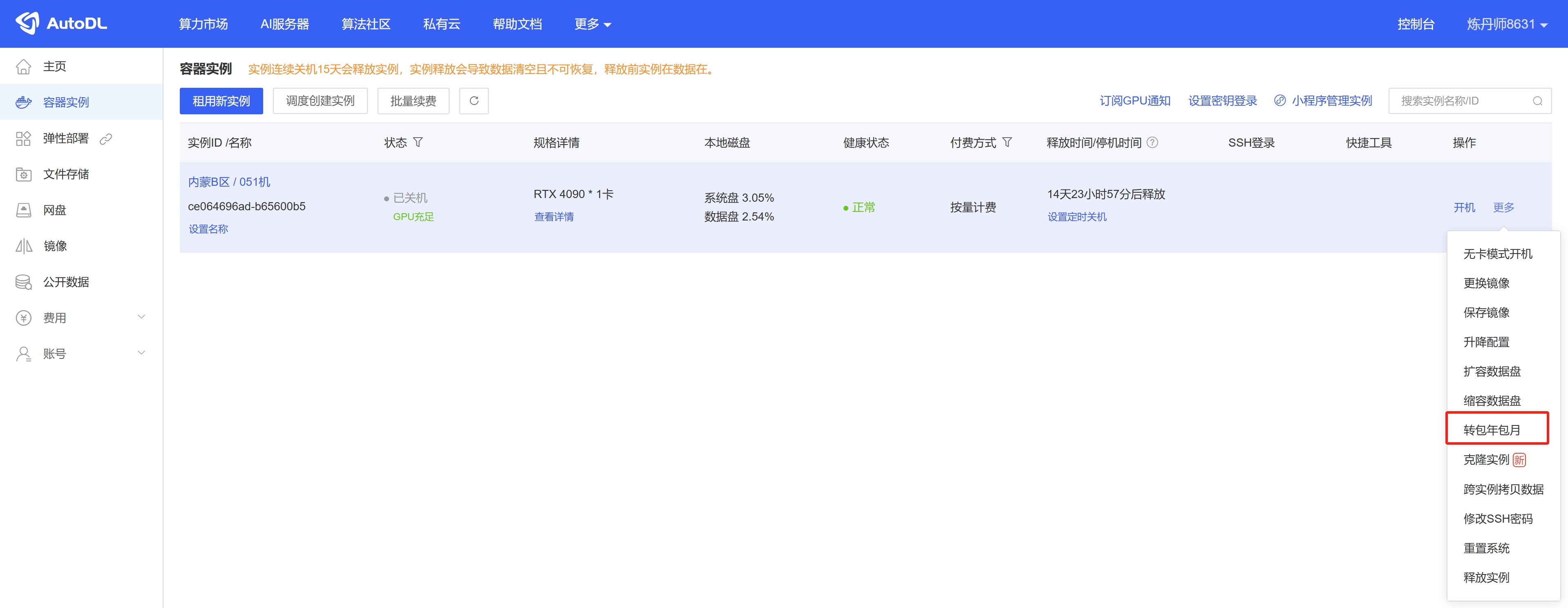
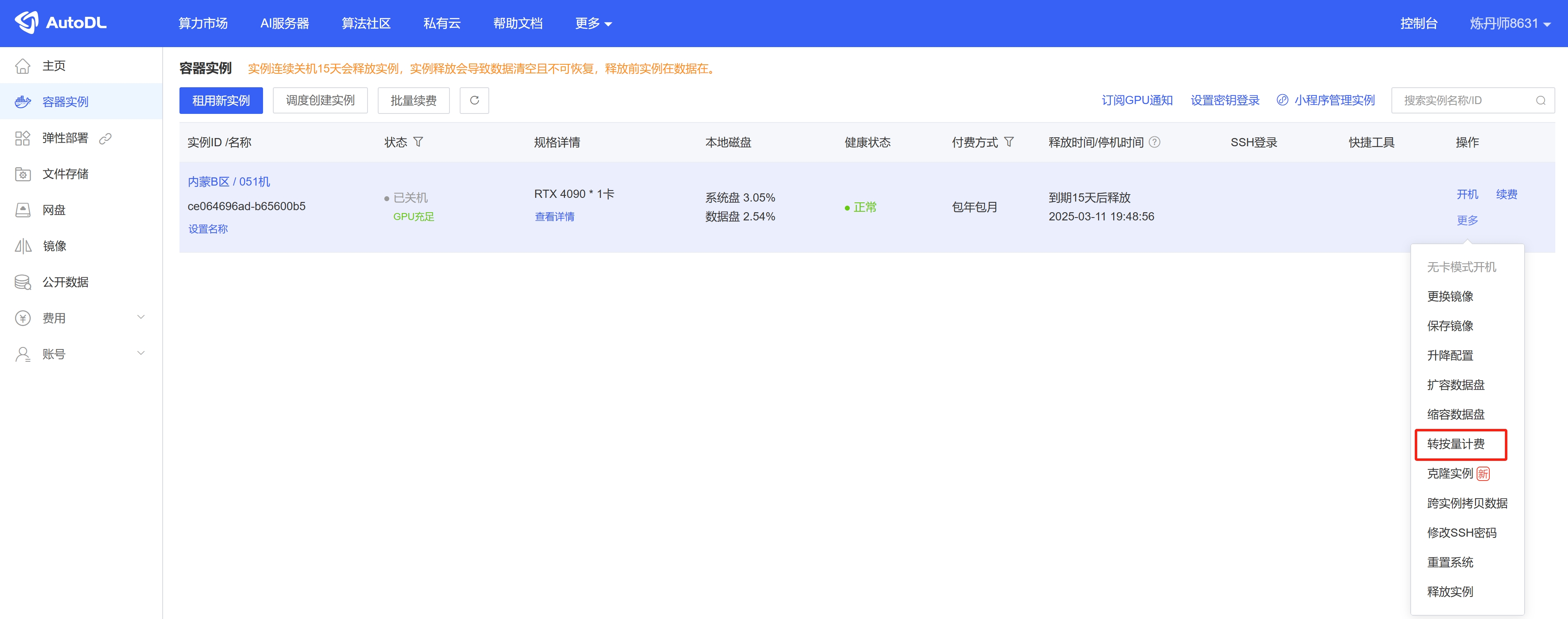
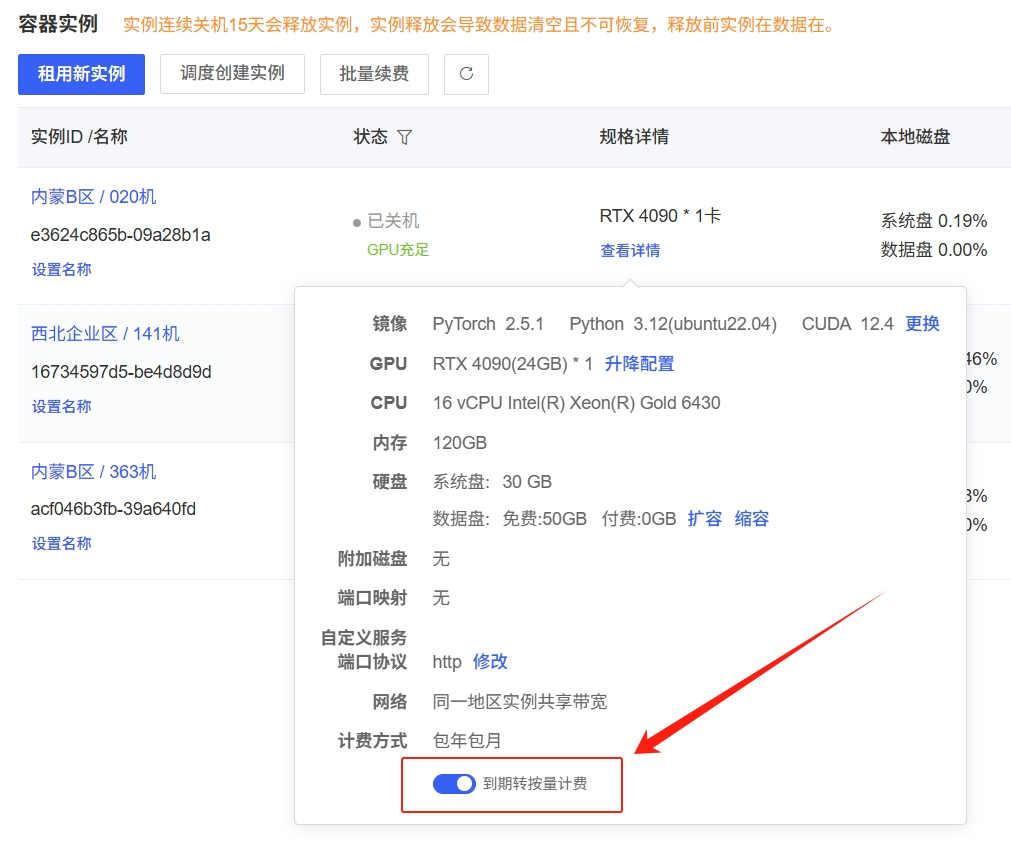
If you want an annual or monthly subscription instance to automatically switch to pay-as-you-go billing upon expiration without shutting down, you can enable “Switch to Pay-as-you-go upon Expiration” under “Console” > “Container Instances” > “View Details.”