कंटेनर इंस्टेंस
Scaling Configuration
For pay-as-you-go instances that are already running, you can use the scale-up/scale-down feature to adjust the instance configuration if you need to increase or decrease the number of GPUs. For annual or monthly subscription instances, you must first switch to pay-as-you-go billing before you can scale up or down the configuration.
Step.1
Shut down the instance, then locate the "升降配置" button at 更多 and click it to access the scaling configuration page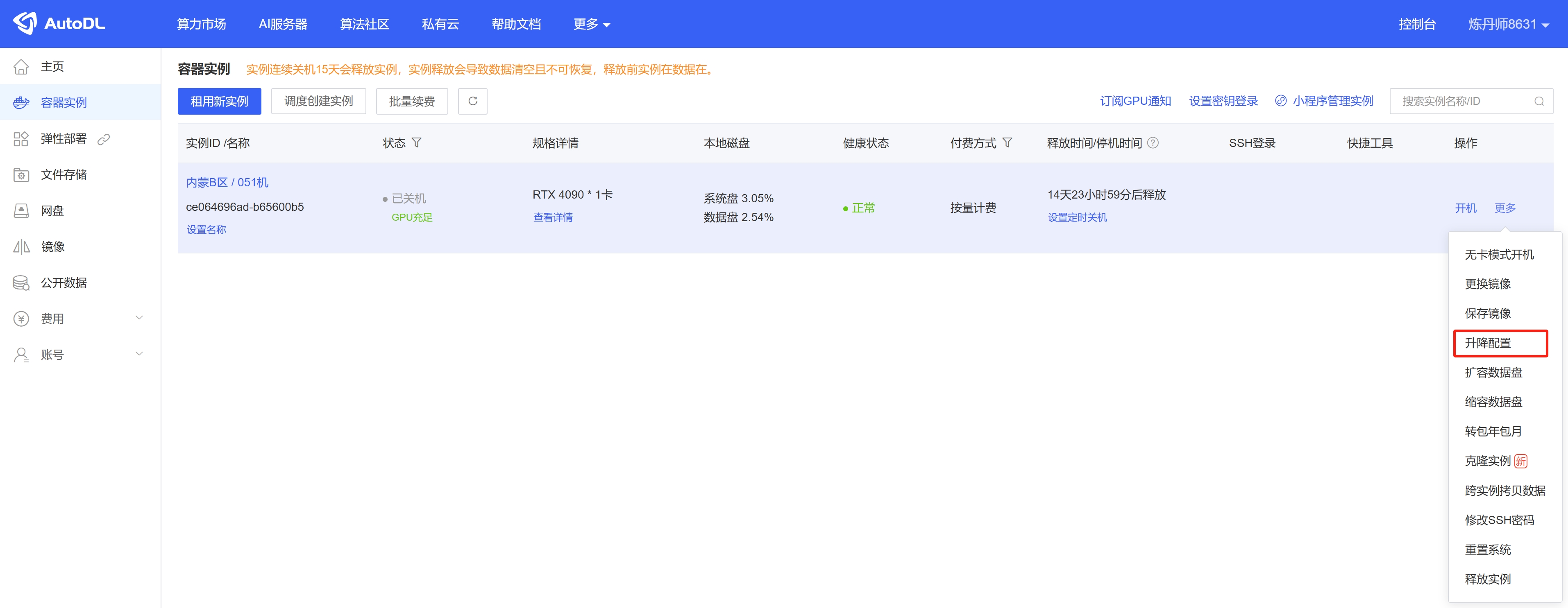
Step.2
Select the number of GPUs; the CPU and memory will then be adjusted accordingly based on the number of GPUs. For the final instance specifications, please refer to 变更后实例规格 below.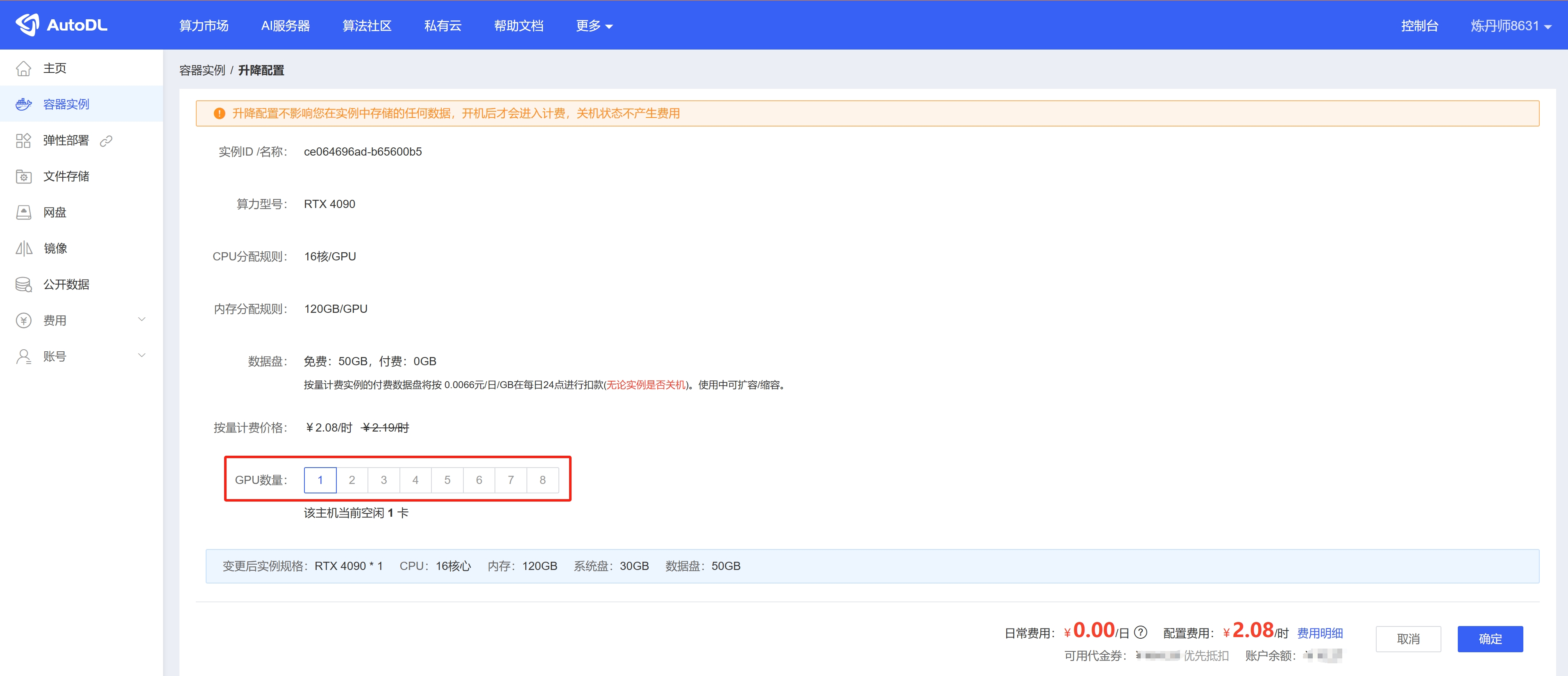
Tips for Upgrading Your Configuration
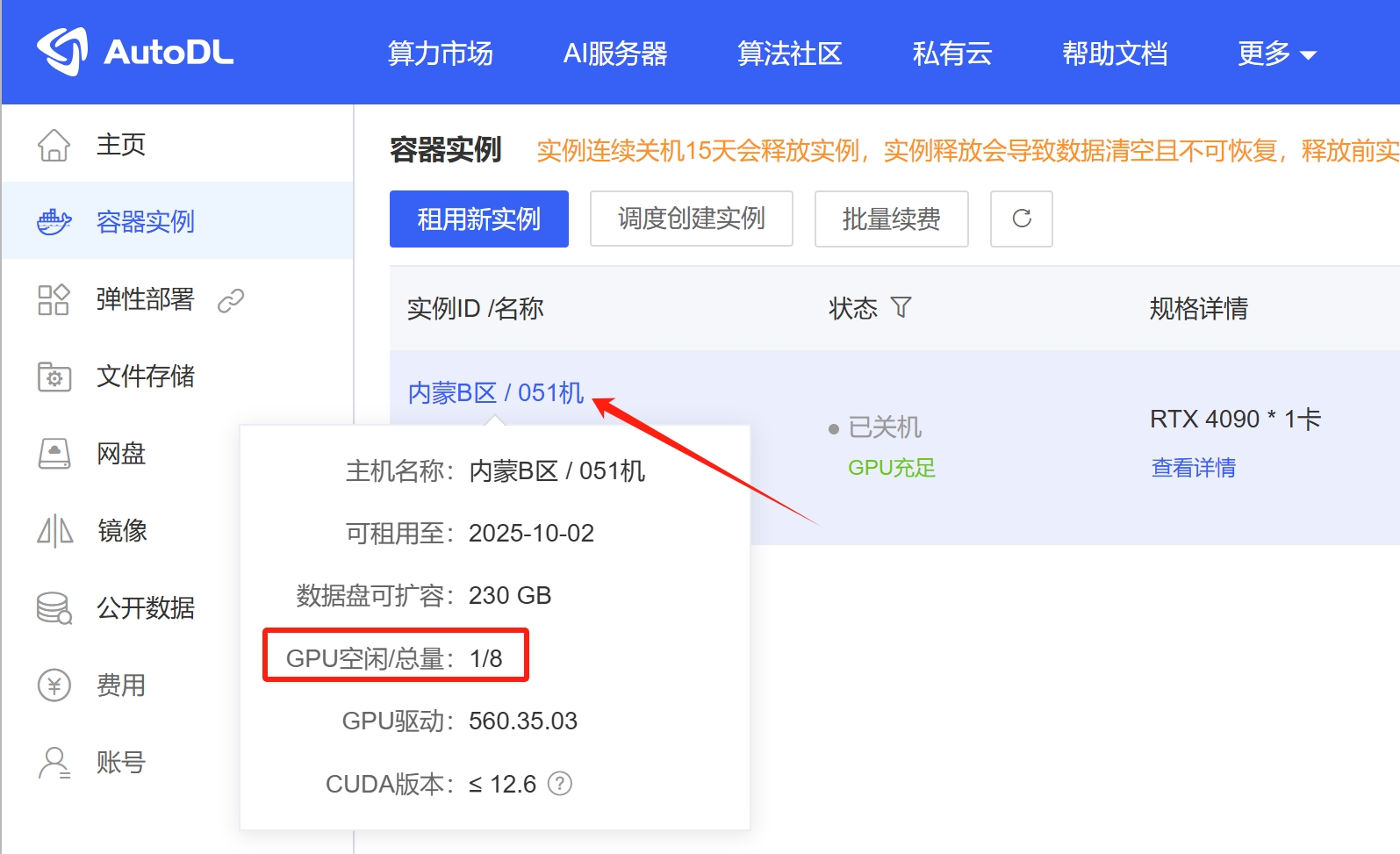
Console -> Container Instances: Click the instance name in the first column to view the current host’s GPU availability. This will help you determine whether the host can be upgraded. If the host’s available GPU resources do not meet your upgrade requirements, you can choose to migrate to another host that meets your needs.Migrate Instance (Same Region)