
WebCal
Ctrl K

الدليل

Public Data

الدليلالتكاملاتالأسئلة الشائعةالدعم
التسعيرالمدونة
البدء السريعTop-Up and BillingAccelerating Access to Academic ResourcesQuick StartIntroductionMaintenance and TroubleshootingNetwork
المنصةJetBrain ProjectorTmpWebCal Scholars Program @2026Introduction to the Public Beta/Suqian Zone AAbout UsCopying Data Between InstancesAnalysis of Server Performance MetricsTidal Computing PowerLoad Balancing
الرقائق المحليةUsing Huawei MindIEHuawei Ascend NPUMooreThread GPU
إعداد البيئةCUDA/cuDNNMinicondaPython3.XInstalling DependenciesOverviewImages
ميزات المؤسساتFlexible DeploymentElastic Deployment Release NotesBest Practices for Elastic DeploymentPerformance Metrics Monitoring
مثيلات الحاوياتJupyterLabRemote SSH ConnectionSave the imageScaling ConfigurationMulti-machine, multi-GPU parallel processingDaemonOverviewChange the billing methodMigration Example (Same Region)Migration ExamplesRemote DesktopReset the system
اختيار وحدة GPUGPU SelectionPerformance Testing
البياناتUpload DataDownload DataPublic DataPublic Cloud Storage (Highly Recommended)Compression / DecompressionFile StorageLocal data diskOverview
أفضل الممارساتFileZillaGitGromacsHuggingFaceKataGoLinux BasicsMPIOpenCLPyCharm Remote DevelopmentR (RStudio) InstallationSSH TunnelTensorBoardRemote Development with VSCodeVisdomVulkanXShellOpen PortsWeChat MessagesPerformanceExpose multiple servicesMoney-Saving TipsComputation Precision IssuesSoftware Sources

البيانات

Public Data

٣٠‏/٠٧‏/٢٠٢٦44167 مشاهدة

WebCal provides a selection of commonly used open-source datasets for you to use within your instances, eliminating the hassle of downloading and uploading them.

Locate the "Public Data" menu in the console:
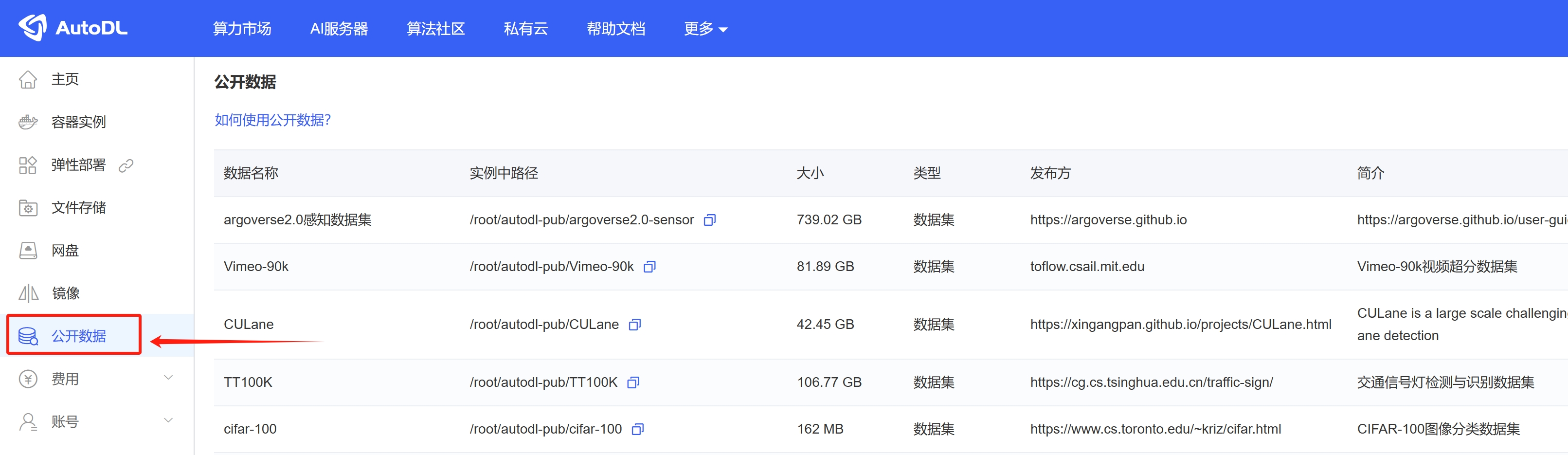
image_20250328165815

Search for the dataset name; if found, proceed to the next step:

Copy the path to the data within the instance, then locate that dataset in your instance.
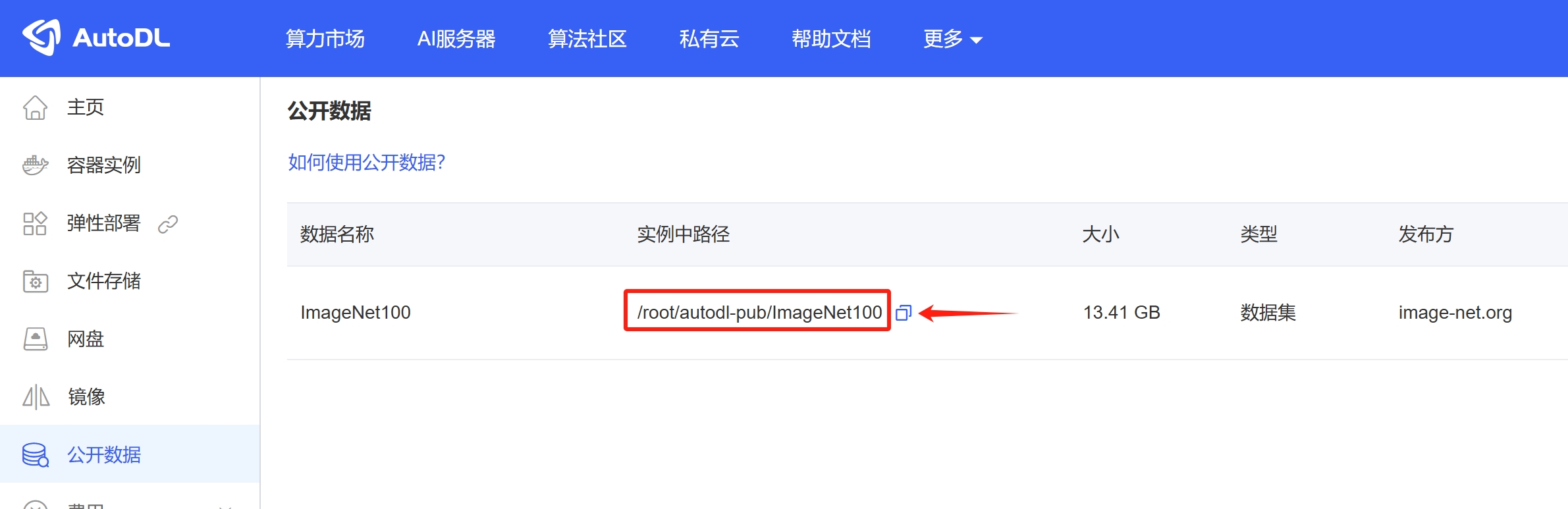
image_20250328171038

Locate this dataset on the instance, then extract it to your data volume (/root/webcal-tmp).

Please note that the unzip command shown in the screenshot below is only applicable to ZIP archives. For other types of archives, please use the appropriate command to extract them. For reference, see
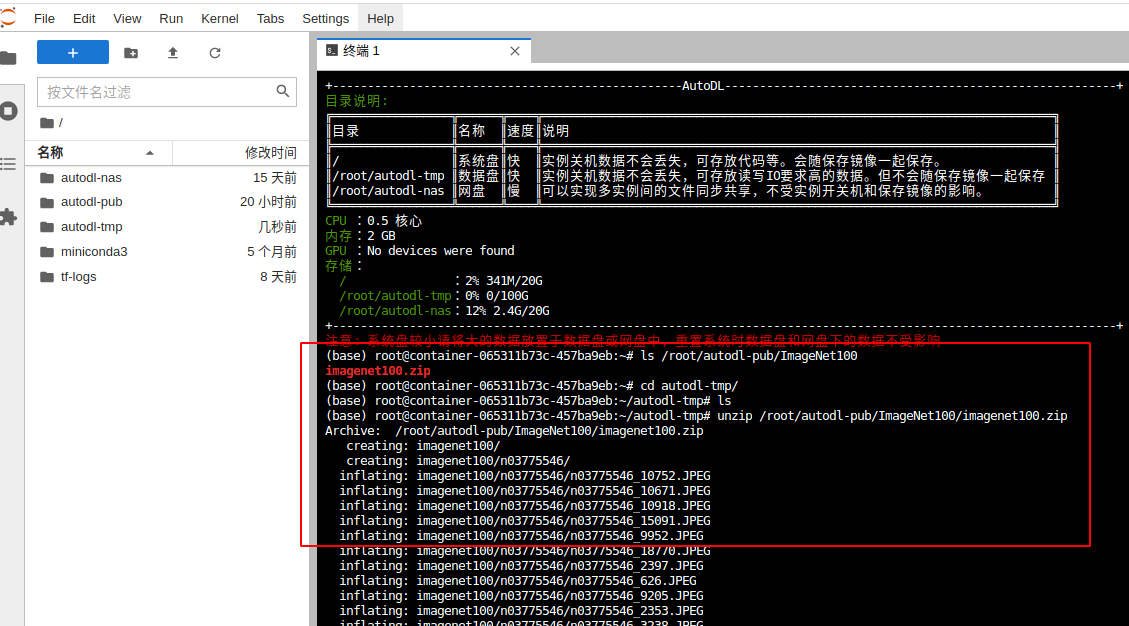
image-20220120144607585

المقال التاليQuick Start
وثائق Compute Rentalالعودة إلى الدليل