إعداد البيئة
Images
WebCal does not currently support importing custom images.
If you have configured your environment on an instance and wish to reuse that environment when switching hosts or launching new instances—as well as preserve it long-term for future use—saving an image is the best option. Additionally, you can share images with other users.
Save the image
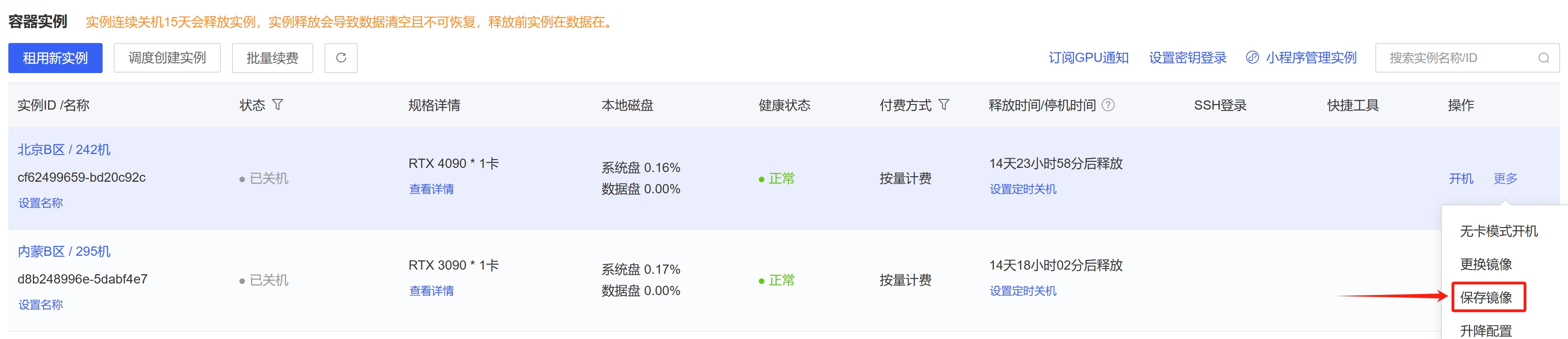
After shutting down an instance, click “Save Image” under “More Actions” to save the entire system disk of that instance (learn more about system disks).
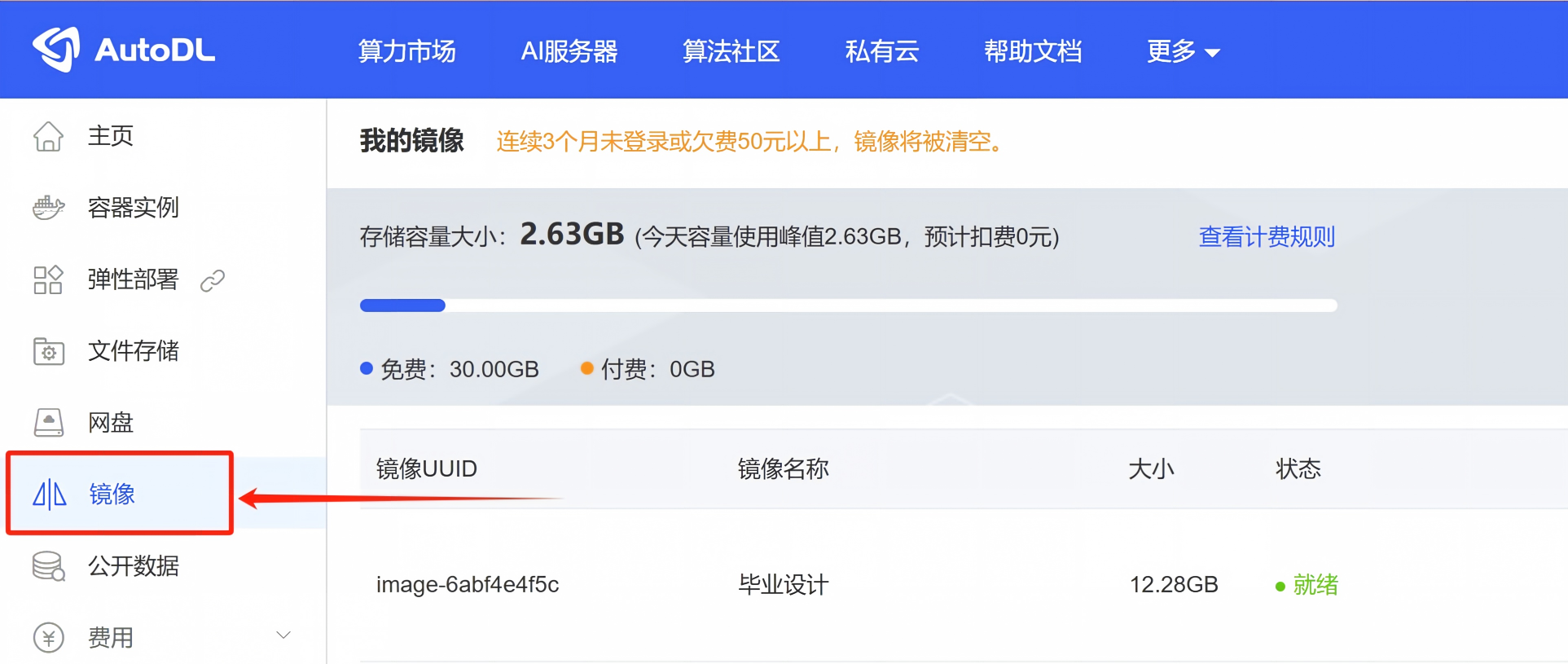
After saving the image, view it in the "Images" menu.
Loading an Image
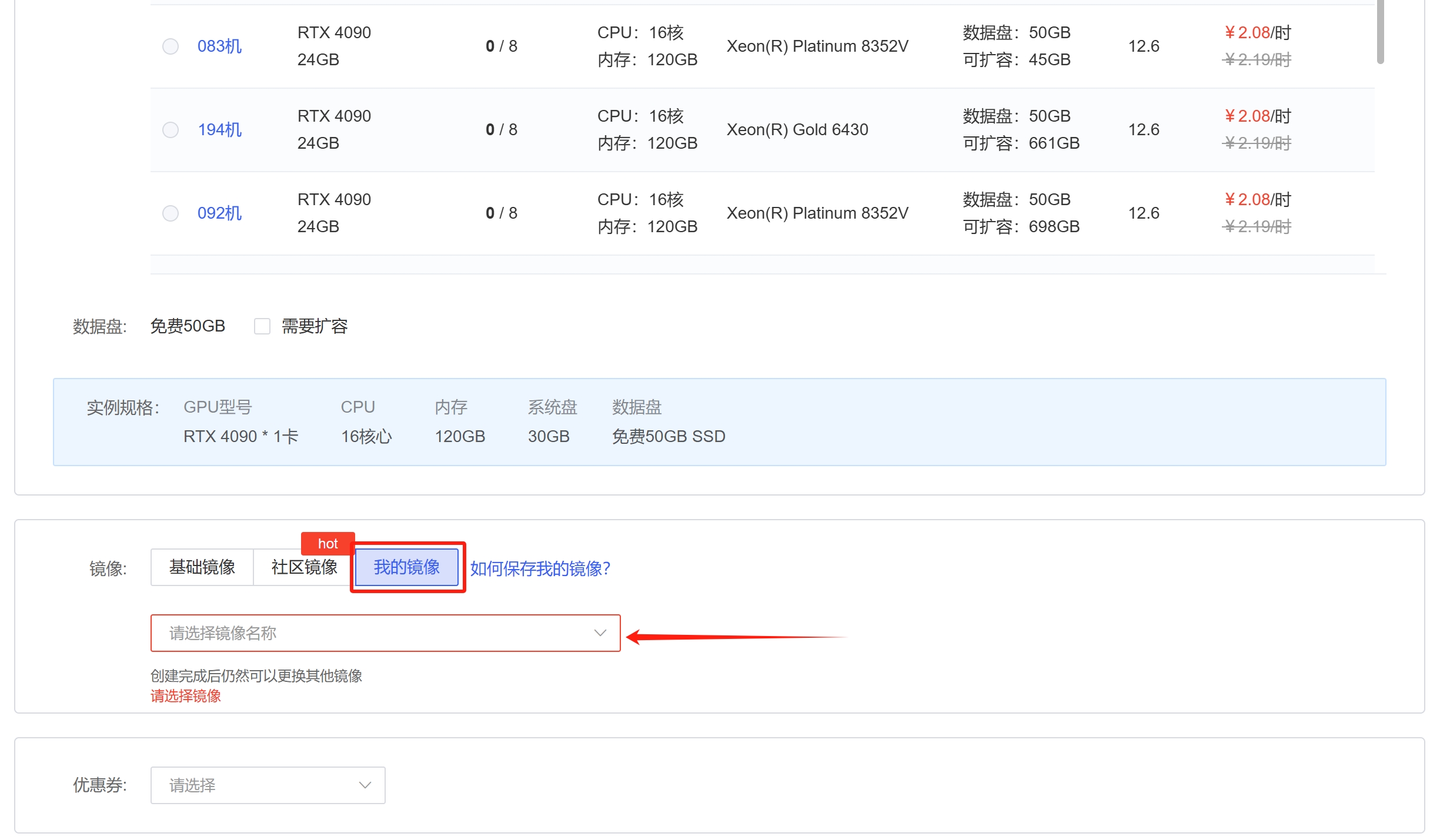
When renting a new instance or selecting a new image for an existing instance, choose the image you saved to restore all content from the original instance’s system disk.
Switching Mirrors
After shutting down the instance, click "Change Image" under "More Actions." Changing the image will wipe the system disk; the data disk will not be affected. (Learn about the system disk)

Shared Images
After saving the image, you can click “Share” in the operations menu to share it with specified users.
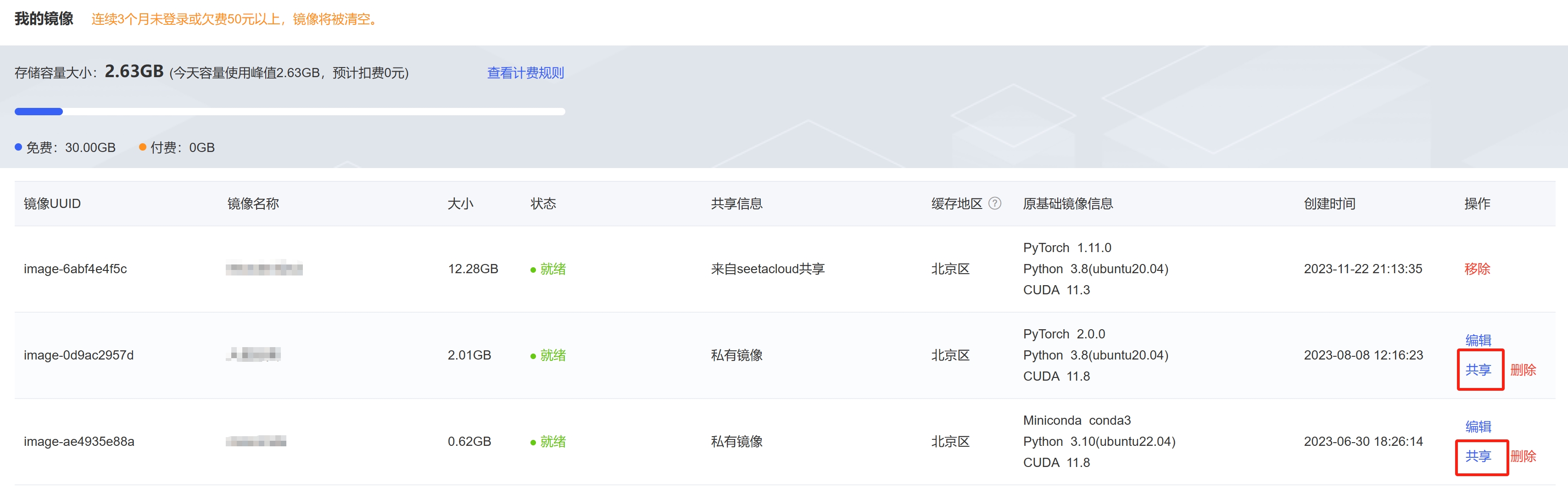
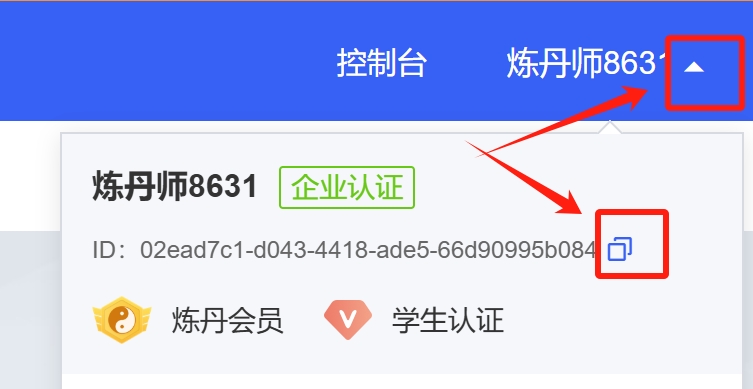
The other party’s user ID can be found in the username drop-down menu at the top of the page.