
常見問題
VSCode remote connection failed
2026/07/3037012 次瀏覽
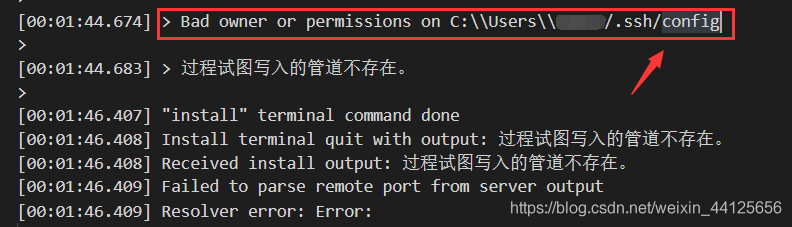
If you encounter the following error in the VS output while establishing a remote connection via VS Code, you can refer to the solution below
Solution
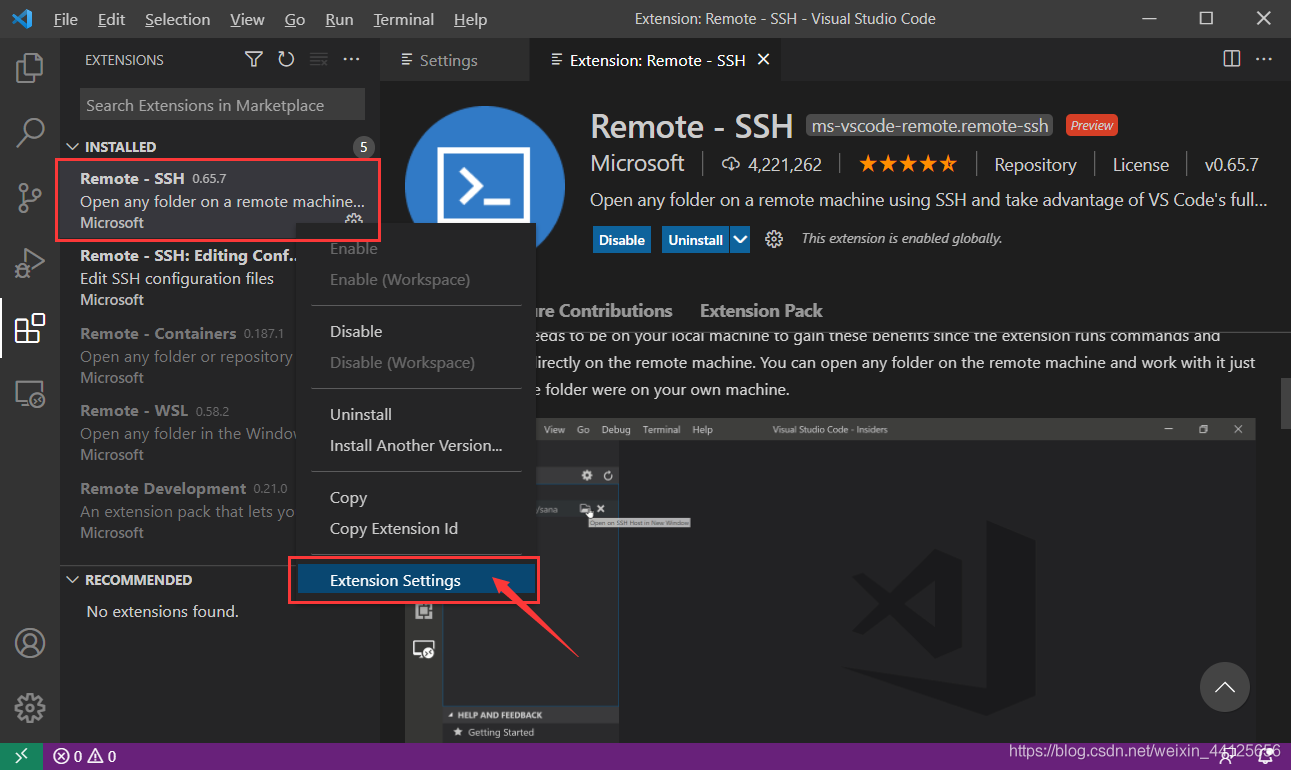
Open "Extensions" in the left sidebar, locate the already installed "Remote -SSH" extension, right-click it, and select "Extension Settings."
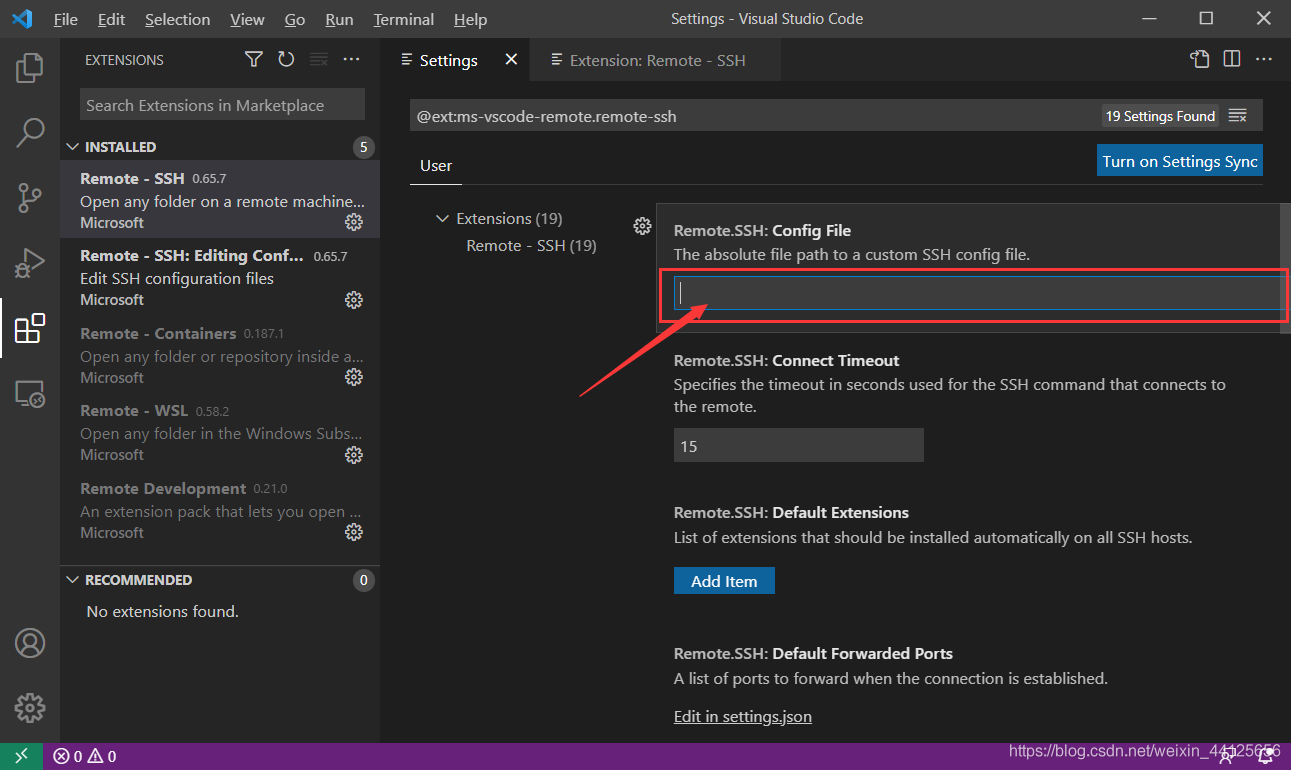
Enter the path to the config file that caused the error in the Config File field.
Then try connecting again to see if this resolves the issue.