Prácticas recomendadas
WeChat Messages
WeChat has stripped down the functionality of template messages; the first and last lines are no longer visible. For details, see the WeChat Developer Documentation
Important Notice: Messages must not contain illegal or harmful content; otherwise, you will be solely responsible for any legal consequences that may arise!
WebCal provides you with the ability to customize code to send WeChat message notifications. Use cases include:
- Send key metrics from model training to your WeChat to stay updated on the training process in real time
- Receive notifications of abnormal program interruptions via WeChat so you can promptly modify the code or stop billing to avoid idle time losses.
- Other (You are welcome to use this feature even if you do not rent a WebCal GPU instance)
Note: To ensure proper use of notifications, the daily limit is 50 messages, with a maximum of 5 messages per minute (only successfully sent messages are counted).
How to Use
-
After registering a WebCal account, link your WeChat account (Control Panel -> Account Security menu)
-
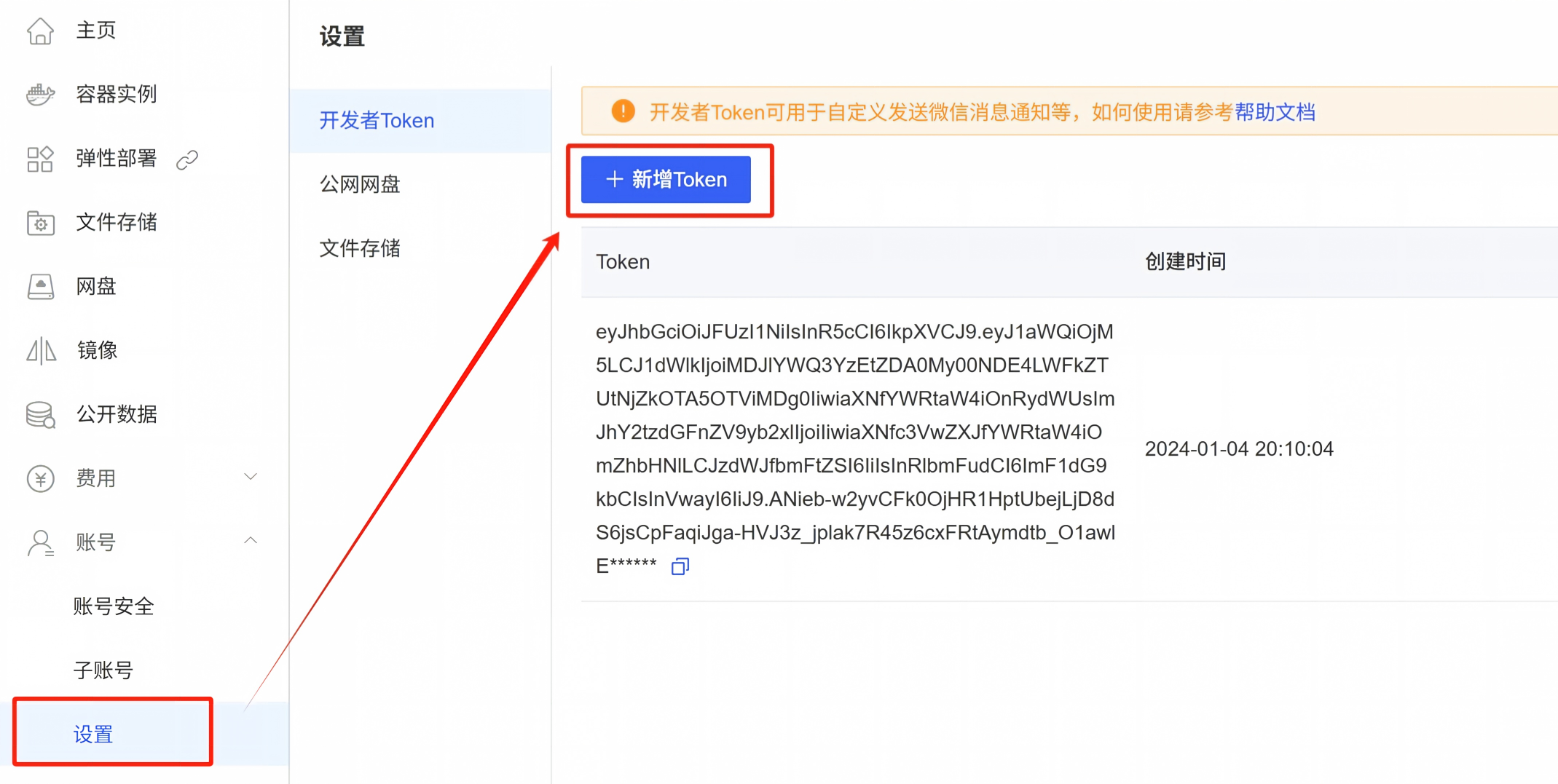
Obtain a developer token; see the figure below for instructions
Sending a Message via a POST Request
# python脚本示例

import requests
headers = {"Authorization": "获取到的Token"}
resp = requests.post("https://www.webcal.ai/api/v1/wechat/message/send",
                     json={
                         "title": "eg. 来自我的程序",
                         "name": "eg. 我的ImageNet实验",
                         "content": "eg. Epoch=100. Acc=90.2"
                     }, headers = headers)
print(resp.content.decode())
Among the parameters listed above, title is required; all others are optional.
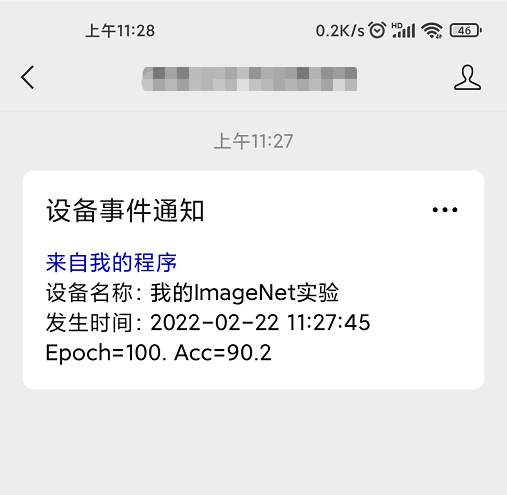
If the submission is successful, you will receive the following message in the WebCal WeChat official account: