
WebCal
Ctrl K

सामान्य प्रश्न

VSCode remote connection failed

मार्गदर्शिकाएकीकरणसामान्य प्रश्नसहायता
मूल्यब्लॉग
अक्सर पूछे जाने वाले प्रश्नJupyterLab won't openMemory leak in SD plottingVSCode remote connection failedCannot access the GPUFrequently Asked QuestionsSSH Connection ErrorsGPU memory was not releasedInsufficient space on the system drive

अक्सर पूछे जाने वाले प्रश्न

VSCode remote connection failed

30/07/202637015 व्यू

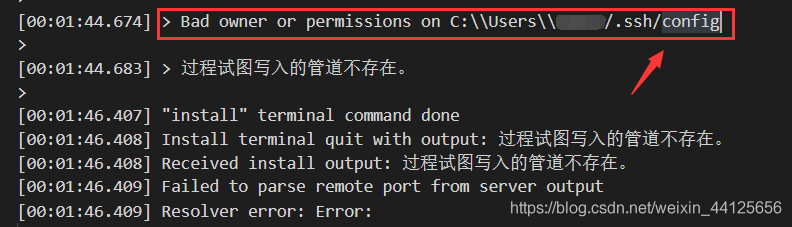
If you encounter the following error in the VS output while establishing a remote connection via VS Code, you can refer to the solution below
Insert image description here

Solution

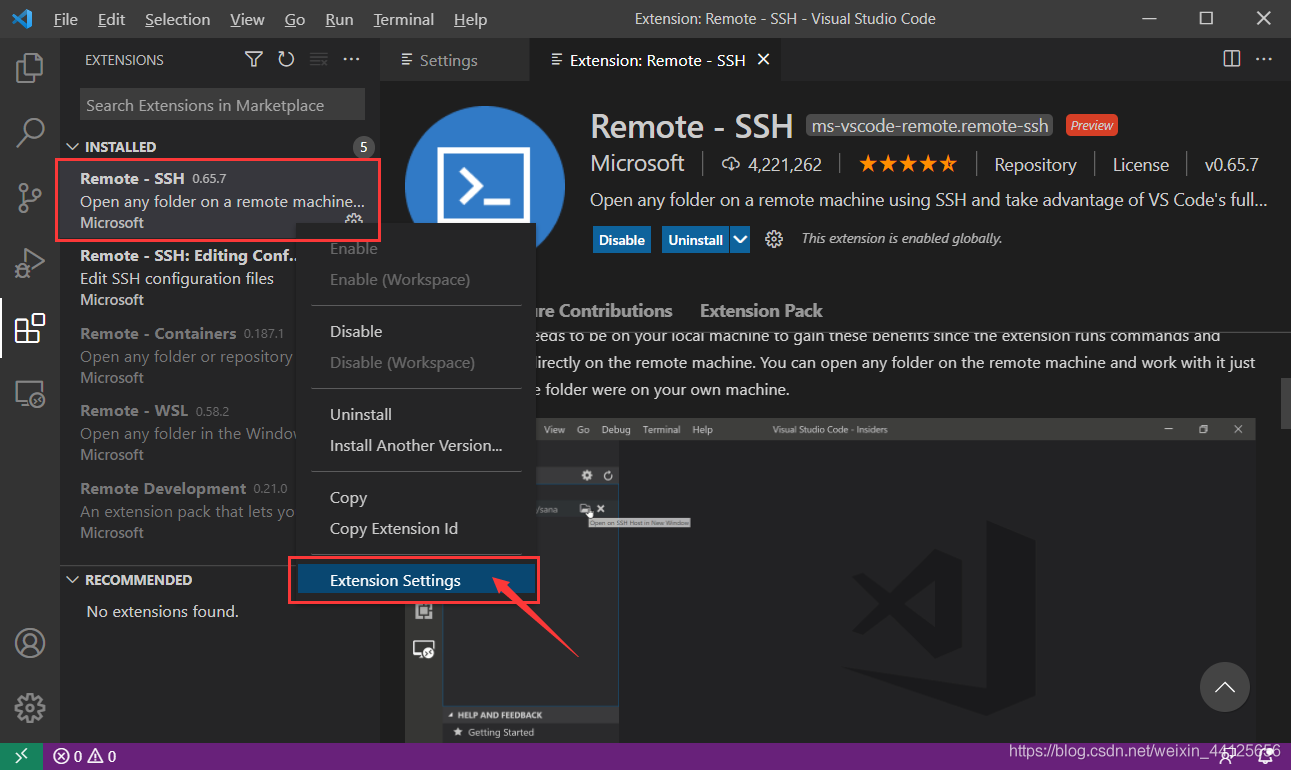
Open "Extensions" in the left sidebar, locate the already installed "Remote -SSH" extension, right-click it, and select "Extension Settings."
Insert image description here

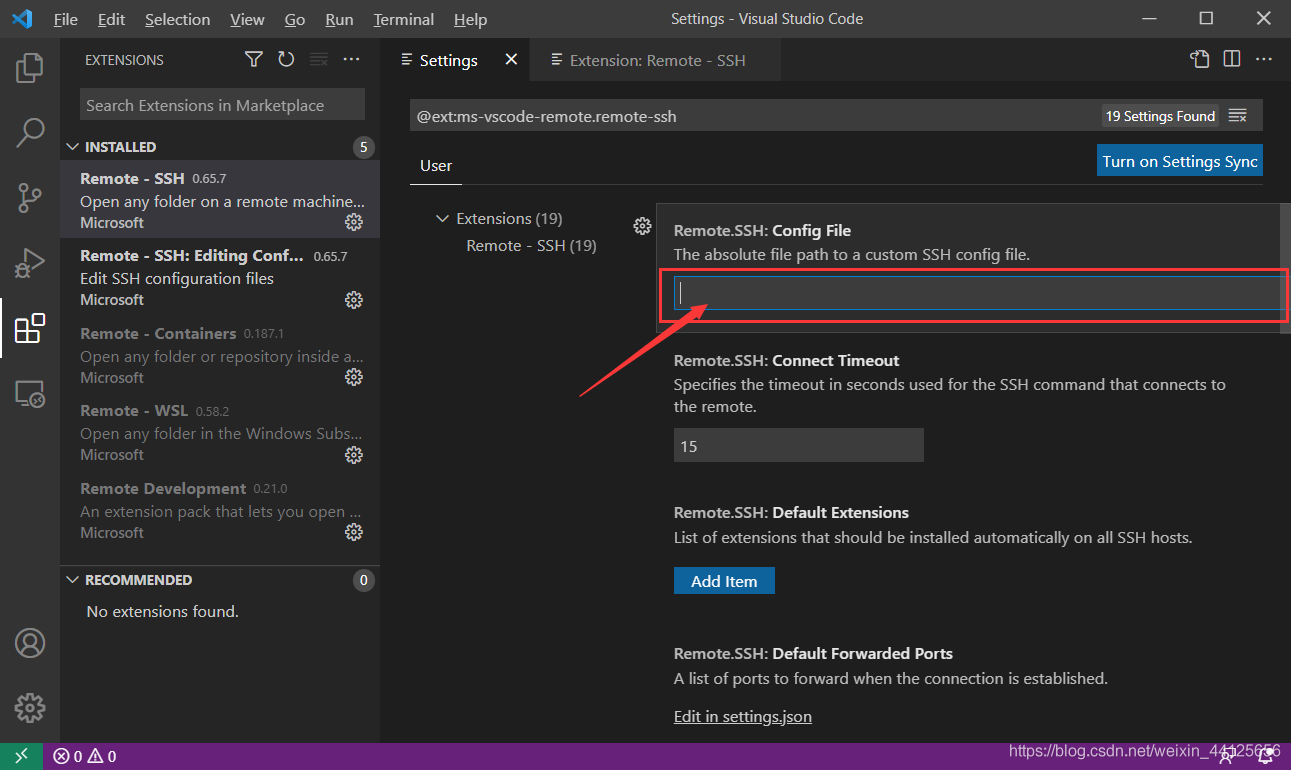
Enter the path to the config file that caused the error in the Config File field.
Insert image description here

Then try connecting again to see if this resolves the issue.

अगला लेखCannot access the GPU
Compute Rental दस्तावेज़सामान्य प्रश्न पर वापस जाएं